Mastering Crawlability and Indexation Fundamentals

WordPress SEO starts with crawlability: if search engine bots cannot physically access, parse, and render your web pages, even the most meticulously researched keywords and high-end copywriting will fail to generate organic traffic. Before investing time into content creation or link building, you must establish a robust technical foundation. Search engine optimization begins with ensuring that Googlebot, Bingbot, and other automated crawlers have a clear, unobstructed pathway through your database and template files. When spiders encounter structural roadblocks, infinite redirect loops, or accidental blocks, your content remains invisible to potential visitors.
Your very first line of defense is checking the core visibility controls built directly into the WordPress core software. Navigate to your dashboard, select Settings, click on Reading, and immediately inspect the checkbox labeled “Discourage search engines from indexing this site.” During development or staging phases, web developers routinely check this box to prevent unfinished websites from leaking into public search engine result pages (SERPs). However, forgetting to uncheck this box after pushing a site live is one of the most common catastrophic mistakes in technical SEO. According to Google’s own documentation updated in 2023, leaving this setting enabled appends a `` tag to every single page of your site, effectively locking out web crawlers. Verifying this setting takes mere seconds, yet it saves weeks of debugging when wondering why newly published pages fail to register in search indices.
Once you have verified that your site is openly welcoming to search bots, your next priority is directing them efficiently via a properly formatted XML sitemap. An XML sitemap acts as a prioritized roadmap of your website, listing every important URL that you want search engines to discover and parse. While modern WordPress setups often utilize SEO plugins like Yoast, Rank Math, or All in One SEO to automatically generate dynamic sitemaps, simply having a sitemap is not enough; you must proactively submit it to webmaster platforms. You should immediately submit your XML sitemap in Google Search Console. Google’s official Search Central guidelines emphasize that submitting a clean sitemap accelerates the discovery of deep-level pages, especially for fresh domains that lack an established web of external backlinks. Furthermore, monitoring the sitemap report inside Google Search Console allows you to spot parsing errors, unexpected HTTP status codes, or blocked URLs before they negatively impact your site’s overall organic visibility.
A critical, forward-thinking trend in modern WordPress SEO is to connect Google Search Console and web analytics platforms before you publish your very first piece of content. Waiting until traffic drops or indexing errors accumulate is a reactive mistake that costs valuable ranking momentum. By establishing tracking infrastructure early, you create a baseline for organic performance from day one. In fact, ignoring these diagnostic connections can blind you to early SEO warning signs before organic traffic drops drastically. Setting up tracking tools allows you to identify crawl budget inefficiencies, index coverage anomalies, and sudden spikes in 404 not-found errors immediately. This proactive stance aligns with best practices outlined in digital analytics frameworks, ensuring that technical regressions are caught and resolved within hours rather than months.
To maintain absolute clarity on your technical SEO health, implement a routine auditing schedule using the following checklist inside Google Search Console and your WordPress dashboard:
- Index Coverage Monitoring: Check the “Pages” report weekly to verify that the number of indexed pages matches your actual published content inventory, watching closely for unexpected “Excluded” or “Error” labels.
- XML Sitemap Status: Confirm that your sitemap is successfully processed by Google with a “Success” status and that the submitted URL count aligns with your public site architecture.
- Robots.txt Verification: Test your `robots.txt` file using Google’s testing tools to ensure you are not accidentally blocking critical CSS, JavaScript, or image assets required for proper page rendering.
- Core Web Vitals Integration: Review field data performance metrics early to ensure your hosting environment and WordPress theme deliver an acceptable user experience across mobile and desktop devices.
By systematically addressing these crawlability and indexation fundamentals, you eliminate the technical friction that frequently undermines content marketing campaigns. Taking these preventative steps ensures that search engine algorithms can seamlessly navigate your WordPress site, index your highest-value pages accurately, and position your brand for sustainable, long-term organic growth.
Technical Hygiene: Managing Permalinks, Robots.txt, and Plugins
When optimizing a WordPress website for maximum organic visibility, content quality and backlink acquisition often steal the spotlight. However, foundational technical hygiene is what ultimately dictates how efficiently search engine crawlers discover, interpret, and index your content. Neglecting the backend infrastructure of a WordPress installation can lead to bloated crawl budgets, indexing errors, and cannibalized ranking signals. Establishing a pristine technical environment requires methodical control over your URL structures, crawl directives, and plugin ecosystem.
A cornerstone of sound WordPress technical hygiene is the optimization of your site architecture through a clean permalink structure. Out of the box, WordPress often defaults to a plain URL structure containing dynamic IDs, or a date-based structure that highlights the exact publication day. For sustainable search engine optimization, these configurations are suboptimal. Instead, webmasters should navigate to the WordPress permalink settings and select the “Post name” structure, or craft a custom structure utilizing categories and post names. This ensures that every URL is descriptive, permanent, and easily digestible by both users and web crawlers.
Parameter-heavy URLs must be avoided at all costs, as they frequently create duplicate content issues and dilute your site’s link equity. When tracking campaigns or internal filters generate endless variations of the same page via query strings (for example, `?sort=price&dir=asc`), Googlebot wastes valuable crawl budget parsing redundant pages. To mitigate this, developers should utilize canonical tags properly and configure URL parameters within modern webmaster tool dashboards to instruct search engines on how to handle these dynamic variations without harming core rankings.
Equally critical to crawl efficiency is the precise configuration of your `robots.txt` file. This plain text file located in your root directory acts as the gatekeeper for search engine bots, dictating which areas of your site they are permitted to explore. A common pitfall in WordPress maintenance is overly aggressive blocking, which can inadvertently prevent crawlers from accessing vital CSS and JavaScript files necessary for rendering pages correctly. According to Google’s Search Central documentation, `robots.txt` should be used exclusively to manage crawl traffic and block pages that should not be crawled, rather than as a mechanism for keeping pages out of the index entirely.
Speaking of indexing, one of the most damaging technical blunders a site owner can make is leaving accidental `noindex` tags active on production environments. This often happens during development phases when staging sites are hidden from search engines via WordPress’s built-in reading settings (“Discourage search engines from indexing this site”). If this checkbox remains ticked after migration to a live domain, or if an aggressive SEO plugin injects `noindex` meta robots tags into core landing pages, Google Search will systematically drop those pages from its index. Regular audits via Google Search Console’s Coverage report are mandatory to catch and rectify these visibility-killing anomalies immediately.
Plugin discipline is another pillar of advanced WordPress technical hygiene that directly impacts search performance. WordPress sites frequently suffer from feature bloat due to an over-reliance on third-party extensions. When it comes to search optimization, recent industry best-practice guides consistently recommend using only one SEO plugin per site—such as Rank Math, Yoast SEO, or All in One SEO—to avoid catastrophic metadata conflicts. Utilizing multiple optimization plugins simultaneously can result in overlapping sitemaps, duplicate meta descriptions, conflicting schema markup outputs, and slower server response times. Each added plugin introduces potential database queries and script execution delays that degrade Core Web Vitals scores, which Google incorporates as page experience ranking signals.
Maintaining a rigorous maintenance schedule for your technical elements ensures that your WordPress site remains resilient against algorithmic updates. By systematically standardizing your URL paths, protecting your crawl budget with clean directive files, enforcing strict plugin boundaries, and safeguarding your indexing tags, you build a robust architectural foundation. This structural integrity allows search engine spiders to navigate your content seamlessly, passing maximum authority to your most important revenue-generating pages and supporting long-term organic growth.
Advanced Internal Linking and Topic Cluster Architecture

Internal links remain a major lever in search engine optimization, serving as the connective tissue that helps search engine crawlers discover, understand, and index your website content. While many WordPress site owners focus exclusively on acquiring external backlinks from high-authority domains, they frequently overlook the immense untapped potential of a well-structured internal linking strategy. By deliberately orchestrating how pages link to one another, you can significantly influence your site hierarchy and pass valuable ranking authority—often referred to as PageRank or link equity—to your most important commercial and informational pages. When search engine bots traverse your WordPress database, they rely entirely on hyperlinks to navigate from page to page. If your architecture is disorganized or random, search engine algorithms struggle to determine which content matters most, ultimately diluting your organic search potential.
To overcome these structural limitations, modern SEO strategies heavily emphasize the hub-and-spoke topic cluster model. This architectural framework reorganizes your sprawling blog posts and product pages into cohesive thematic groups rather than leaving them in a flat, unstructured chronological archive. The process begins by building central hub pages first, which act as definitive, comprehensive resources targeting broad, high-volume head terms within your niche. Once these pillars are established, you develop a series of related cluster pages that dive deep into specific long-tail subtopics, answering nuanced user queries. Crucially, these spoke pages must link back to their respective central hub page, and the hub page must reciprocate by linking out to the clusters. According to structural guidelines published by Google’s search advocacy team in their official documentation, this bidirectional contextual linking creates a clear topical hierarchy that reinforces semantic relevance, making it vastly easier for algorithms to associate your domain with broad industry themes.
Implementing this model inside the WordPress CMS requires a methodical approach to categorization, tagging, and contextual body linking. Because WordPress naturally encourages a chronological blog-post mentality, site administrators must intentionally override default behaviors to enforce a thematic hierarchy. For instance, you should embed contextual text links within your spoke articles pointing back to the central hub, using descriptive anchor text that mirrors the primary keywords of the target page. Furthermore, you may wish to explore advanced internal entity optimization techniques to ensure your semantic relationships are tightly woven, drawing insights from resources like this guide on how to fix entity gaps in your content strategy. By filling these topical holes and connecting related concepts, you prevent search engine bots from encountering dead ends or misinterpreting the contextual boundaries of your content pillars.
One of the most damaging structural errors in WordPress publishing is the persistence of orphan pages. Orphan pages are defined as URLs that have zero internal links pointing to them from anywhere else on the same domain. These neglected assets are a common WordPress SEO mistake because pages with no internal links are exceptionally hard for crawlers to discover organically and therefore rarely earn strong organic rankings. They typically occur when a post is published, removed from navigation menus, and forgotten, or when an automated migration leaves old URLs disconnected from the current site structure. When search engines cannot find a path to a page via internal links, that page is essentially invisible to automated discovery bots, wasting crawl budget and failing to contribute any value to your overall site equity.
To systematically eliminate orphan pages and maintain a pristine crawl path, WordPress site managers should leverage analytical tools such as Screaming Frog SEO Spider or Ahrefs Site Audit to regularly scan their database. By cross-referencing your complete list of published WordPress URLs against the list of pages discovered exclusively through internal link paths, you can instantly isolate disconnected assets. Once identified, you have three primary remediation choices:
- Implement a relevant contextual link from an established, high-traffic page within the same topic cluster.
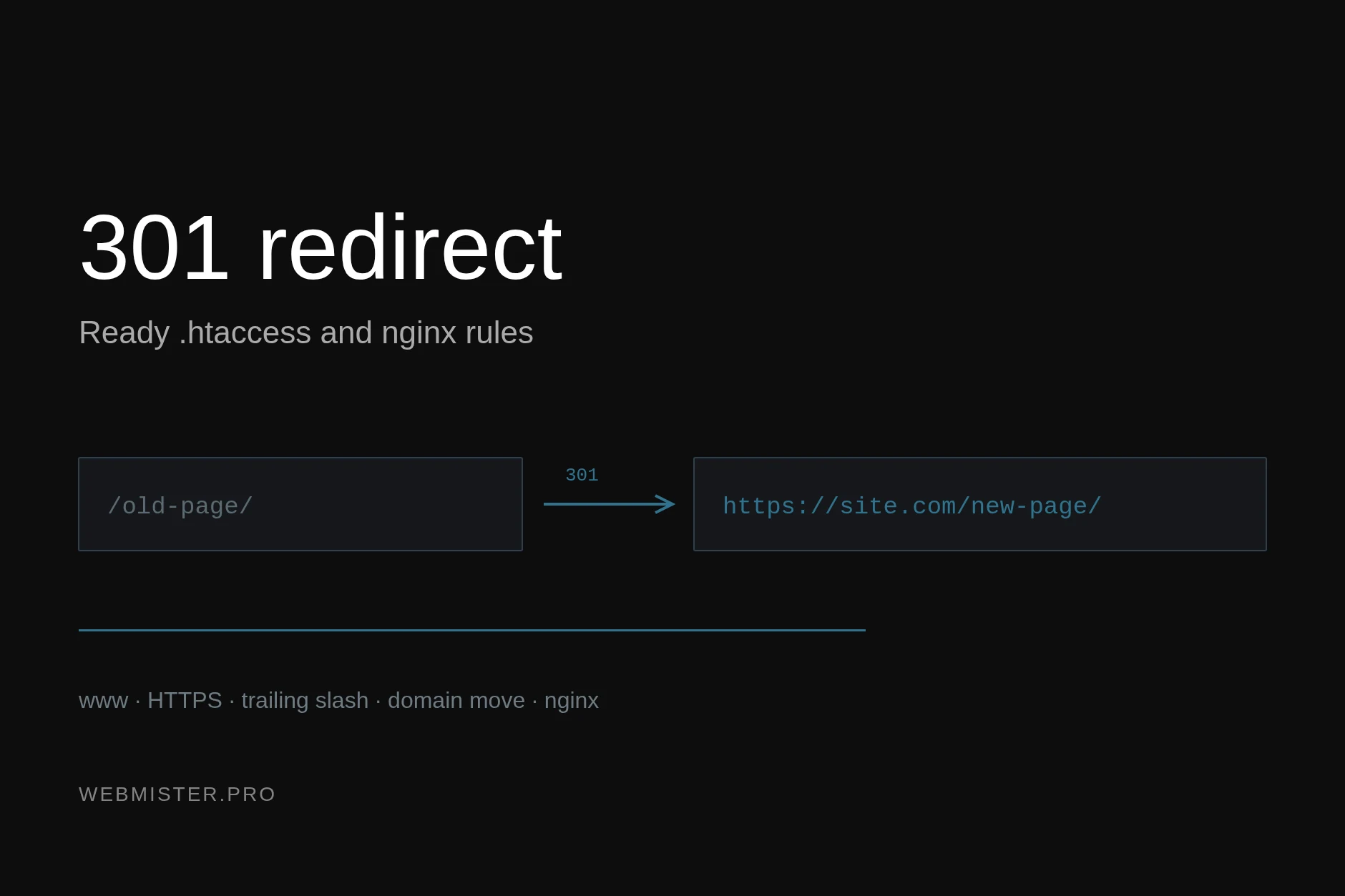
- Redirect the orphan URL to a more comprehensive, up-to-date counterpart using a 301 permanent redirect.
- Permanently delete or set the post to “noindex” if the content is outdated, low quality, or completely redundant.
Maintaining this rigorous structural discipline ensures that your link equity flows efficiently throughout your entire WordPress ecosystem. Every internal link acts as a vote of confidence passed from one document to another, helping search engine bots prioritize which pages deserve frequent recrawling and higher visibility in search engine results pages. By combining a meticulous hub-and-spoke topic cluster framework with proactive audits to eliminate orphan pages, you establish a resilient, scalable foundation that protects your organic traffic against algorithmic shifts and maximizes the long-term return on your content creation efforts.
Content Architecture, Search Intent, and Modern On-Page SEO
Achieving sustained organic visibility in today’s fiercely competitive search landscape requires much more than simply sprinkling keywords into a WordPress post. Content architecture forms the foundation of how search engine crawlers understand your website, evaluate topic authority, and match your pages with the exact queries users type into the search bar. When you approach WordPress SEO with a meticulous strategy that respects structural hierarchies and user psychology, your organic rankings will reflect that clarity. Every single page or post published on your WordPress platform should be designed with a singular, laser-focused purpose in mind, completely avoiding the trap of diluted topical relevance.
At the core of modern search engine optimization is the concept of search intent—the underlying goal a user has when typing a query. According to a landmark 2020 study by Ahrefs analyzing millions of search queries, pages that align precisely with the dominant search intent capture significantly higher organic traffic than those trying to rank for multiple mismatched concepts simultaneously. One page should target one primary search intent. If you attempt to cram commercial intent, informational definitions, and transactional checkout pathways all onto a single WordPress page, you usually weaken its contextual relevance. Search engine algorithms thrive on clarity. When a user looks for “how to fix a WordPress database error,” they want a step-by-step troubleshooting guide, not a sales pitch for a managed hosting provider. By dedicating a distinct URL to a distinct intent, you give search engines an unambiguous signal about what problem your content solves, making it vastly easier for algorithms to rank you prominently for that specific query.
Structuring your content effectively within the WordPress editor is the next critical pillar of on-page optimization. Modern on-page SEO for WordPress still relies heavily on a clear, logical heading structure that guides both human readers and automated web crawlers seamlessly through your arguments. Every single post or page must feature strictly one H1 tag, which typically corresponds to your main article title generated automatically by WordPress templates. Following the primary H1, your content must be broken down into digestible, scannable subtopics using H2 and H3 tags. For instance, a comprehensive guide on technical SEO might use H2 tags for broad categories like “Core Web Vitals” and “XML Sitemaps,” while employing H3 tags underneath for specific sub-items like “Largest Contentful Paint Optimization” or “Submitting Sitemaps via Google Search Console.” This hierarchical nesting creates a semantic map of your content, allowing search engine spiders to comprehend the parent-child relationships between different concepts on your page.
Beyond structural headings, the elements that appear on the search engine results page (SERP)—namely your title tags and meta descriptions—play a pivotal role in driving qualified traffic to your WordPress site. While these snippets do not act as direct algorithmic ranking factors in the way backlinks or content depth do, title tags and meta descriptions still dramatically influence click-through behavior. However, current optimization guidance emphasizes natural, descriptive phrasing over exact-match keyword stuffing. In the early days of search engine optimization, webmasters would stuff title tags with repetitive keyword variations, leading to poor user experiences and algorithmic penalties. Today, according to Google’s official Search Essentials documentation updated through 2024, title tags should concisely summarize the page’s core topic in a compelling manner that speaks directly to human readers. Writing click-worthy titles involves balancing clarity, brand inclusion, and emotional resonance without resorting to misleading clickbait. Similarly, meta descriptions serve as your free advertising copy on the SERP; while they do not boost rankings directly, a well-crafted meta description packed with clear value propositions can substantially lift your click-through rate, driving more engaged visitors into your WordPress funnel.
To implement these architectural and on-page best practices efficiently within WordPress, content creators and site administrators can rely on a structured workflow checklist:
- Audit Existing Content: Review current WordPress pages to ensure no two URLs are cannibalizing each other by targeting the exact same search intent.
- Enforce Single H1 Rule: Verify via your WordPress theme settings or page builder blocks that every page contains one and only one H1 heading element.
- Build Logical Outlines: Use H2 tags for major thematic shifts and H3 tags for granular details, ensuring a clean, nested outline before writing text.
- Craft Natural Meta Data: Write unique, engaging title tags under 60 characters and meta descriptions under 160 characters that prioritize user curiosity and clarity over keyword repetition.
By meticulously aligning every single page with a distinct search intent, organizing your written material through rigorous heading hierarchies, and polishing your SERP snippets with natural, reader-first copywriting, you establish an unshakeable on-page foundation. These practices ensure that your WordPress website remains resilient against algorithm updates while consistently delivering the precise answers your target audience is searching for.
Core Web Vitals, HTTPS, and Performance Foundations
When structuring a modern WordPress website for long-term search engine visibility, technical infrastructure acts as the foundational bedrock upon which all content and link-building strategies rest. Long gone are the days when keyword density and basic meta tags were sufficient to secure top positions in search engine results pages. Today, search engines evaluate the entire technical delivery mechanism of a website. Among these baseline requirements, implementing strict transport security and meeting rigorous user experience metrics are non-negotiable prerequisites for competitive organic positioning.
Mandatory HTTPS Implementation and Mixed-Content Prevention
HTTPS is now a baseline expectation for WordPress sites; insecure or mixed-content pages can trigger browser warnings and undermine trust. In the modern web ecosystem, migrating your WordPress installation from HTTP to HTTPS is mandatory. Major web browsers like Google Chrome flag non-secure HTTP pages with alarming warning labels, directly tanking user trust and driving up bounce rates. From a search engine perspective, secure transport protocols have been factored into algorithms for years. However, simply installing an SSL certificate via your hosting provider is only the first step; you must ensure that your WordPress site is entirely free of mixed-content errors.
Mixed content occurs when a secure HTTPS page loads sub-resources—such as images, stylesheets, JavaScript files, or iframe elements—over an insecure HTTP connection. Modern browsers frequently block these insecure resources automatically, leading to broken page layouts, malfunctioning scripts, and frustrated visitors. To resolve and prevent mixed-content issues on WordPress, administrators should execute a comprehensive database search-and-replace to update all internal URLs from `http://` to `https://`. Furthermore, enforcing HTTP Strict Transport Security (HSTS) via your server configuration or a reliable security plugin ensures that visitors and web crawlers are always routed through the encrypted channel, eliminating security vulnerabilities and preserving brand integrity.
Core Web Vitals and the Reality of Performance as a Ceiling Lifter
Beyond security protocols, technical optimization must address user-centric performance metrics. Core Web Vitals are still important, but performance alone rarely creates rankings; it mostly removes a ceiling on better organic visibility. According to Google’s own developer documentation and core documentation updates released through recent years, the three primary metrics—Largest Contentful Paint (LCP), Interaction to Next Paint (INP), and Cumulative Layout Shift (CLS)—quantify how real users experience the speed, responsiveness, and visual stability of a web page.
It is vital to understand the psychological and algorithmic role that speed plays in modern search engine optimization. Passing the Core Web Vitals threshold does not automatically catapult a mediocre piece of content to the number one spot for a highly competitive keyword. Instead, think of performance optimization as a ceiling lifter. If your site suffers from sluggish server response times, unoptimized high-resolution images, and bloated JavaScript execution, search engines will cap your organic growth because sending users to a slow, frustrating destination degrades their own search experience. By addressing these performance bottlenecks—often by moving away from substandard shared environments to robust hosting architectures, as detailed in discussions on Shared vs. VPS vs. Cloud Hosting: Which Is Best in 2026?—you remove that artificial ceiling. Once the performance barrier is cleared, your content quality, relevance, and backlink profile can finally drive your pages to their maximum potential rankings.
Actionable Technical Audit Checklist for WordPress
To systematically address these foundational requirements, site owners should execute a structured technical audit covering the following elements:
- SSL/TLS Configuration: Verify that the SSL certificate is active, properly installed, and configured to automatically renew without interruption.
- URL Normalization: Ensure all internal links, sitemaps, and canonical tags consistently utilize the `https://` prefix to prevent duplicate content indexing issues.
- Asset Delivery Optimization: Implement modern caching plugins, leverage browser caching, and utilize a Content Delivery Network (CDN) to serve static assets rapidly.
- Resource Prioritization: Optimize LCP by preloading critical hero images and deferring non-essential JavaScript parsing to improve INP and overall interactivity scores.
As the digital landscape continues to evolve, maintaining these technical foundations requires ongoing vigilance. For deeper insights into how performance metrics have shifted, consult the analysis provided in Core Web Vitals in 2026: What Actually Moves Rankings Now. By keeping your WordPress infrastructure secure, modern, and lightning-fast, you create an unshakeable platform for all subsequent optimization efforts.
Pruning Thin Content and Managing Archive Pages at Scale

One of the most persistent technical challenges webmasters face in the WordPress ecosystem is the silent accumulation of structural bloat. Out of the box, WordPress is engineered as a dynamic blogging engine that automatically generates endless variations of archive pages for every category, tag, author, date, and custom taxonomy you create. While this makes organizing a site effortless for content creators, it introduces a massive vulnerability for search engine optimization: duplicate content generation and severe crawl budget waste. When search engine bots spend their limited crawl allowance wading through hundreds of paginated, thin author archives or redundant tag pages containing just a single snippet of text, your core money-making or informational pages starve for attention. Recent WordPress SEO guidance also discourages bloated archive indexing, especially for category, tag, and author pages that can create duplicate or thin content at scale. Mitigating this issue requires a strict audit protocol and a strategic approach to taxonomy governance.
To combat structural bloat effectively, you must begin with a comprehensive content audit of your WordPress database. Look closely at your category and tag structures. Many site owners make the critical mistake of treating tags like free-form hashtags on social media, creating thousands of single-use tags that result in hundreds of empty or extremely thin archive pages. If an archive page features less than a couple of hundred words of unique introductory text and merely lists post excerpts that are already fully indexed elsewhere on your domain, it offers zero value to a user arriving from a search engine results page. According to Google’s Search Central guidelines regarding low-quality content, exposing thousands of low-value, parameter-heavy, or duplicate pages dilutes your site’s overall quality signals, making it harder for search engines to determine which pages deserve top rankings. You should systematically review your analytics and crawl reports to identify these dead-weight URLs. For categories and tags that lack distinct, valuable search volume or fail to organize content in a meaningful way, apply a `noindex, follow` meta robots tag via your SEO plugin of choice, or redirect them entirely using a 301 redirect if they are being phased out permanently.
Beyond technical cleanup, the philosophy of modern search optimization has shifted dramatically away from isolated, keyword-stuffed publishing toward holistic architectural frameworks. The safest current approach for WordPress SEO is a content system that combines technical cleanup, internal linking, and regularly updated topic clusters rather than isolated keyword-optimized posts. In the past, content creators would spin up hundreds of distinct pages targeting narrow micro-keywords, hoping that sheer volume would capture long-tail traffic. Modern search engines evaluate topical authority at a structural level. When you group related articles into tightly woven semantic silos—linking an authoritative pillar page to detailed sub-topic pages and vice versa—you send clear signals to search engines about the depth and breadth of your expertise. Managing your archive pages correctly ensures that search engines focus exclusively on these robust topic hubs rather than wasting processing power on redundant tag combinations.
| Archive Type | Default WordPress Behavior | Recommended SEO Action | Impact on Crawl Budget |
|---|---|---|---|
| Tag Archives | Auto-generates for every applied tag | `noindex, follow` or purge unused tags | High risk of waste; eliminates thin pages |
| Author Archives | Creates pages for every single user | `noindex` for single-author sites | Clears duplicate user bio snippets |
| Date Archives | Generates daily, monthly, and yearly pages | `noindex` or disable entirely | Prevents massive duplication of post loops |
| Category Archives | Creates broad topical buckets | Optimize with unique intro text and `index` | Directs crawl power to vital core topics |
Implementing this architectural discipline requires ongoing maintenance rather than a one-time fix. As your WordPress site scales, your editorial team must adhere to strict taxonomy guidelines, ensuring that new tags are rarely created without a strategic editorial justification. When structuring your internal linking to support these refined topic clusters, keep a close eye on how your breadcrumbs and menu systems interact with your archives. By pairing aggressive pruning of thin, indexable archive pages with a cohesive topic cluster strategy, you protect your domain from the creeping degradation of crawl efficiency, ensuring that search engines can easily discover, crawl, and rank your most valuable, authoritative content.