Historical Context and Technical Evolution of Virtual Servers
To fully comprehend the modern landscape of cloud infrastructure and the ongoing semantic debate surrounding virtual private servers and dedicated servers, one must look backward to examine how system architecture evolved over the past three decades. The terminology we use today—often interchangeably, yet sometimes with strict technical distinctions—is deeply rooted in the limitations and breakthroughs of early data center engineering. In the nascent days of commercial web hosting, administrators relied almost exclusively on physical hardware. If a website outgrew shared hosting, the only viable upgrade was leasing an entire bare-metal server, which was prohibitively expensive for small businesses and individual developers. The economic imperative to maximize physical hardware utilization drove the invention of software architectures capable of slicing a single machine into multiple isolated environments, setting the stage for decades of innovation.
Early virtualization attempts focused on operating system-level virtualization, which introduced the concept of container-based architectures. In these legacy setups, a single monolithic operating system kernel managed all virtual environments running on top of it. Tools such as early FreeBSD jails, Linux VServers, and subsequent containerization frameworks allowed hosts to partition resources efficiently with minimal overhead. Because every “virtual server” shared the exact same running kernel, memory overhead was exceptionally low, and input-output operations faced virtually no hypervisor translation penalty. However, this architectural choice introduced profound security and stability vulnerabilities. If a single tenant managed to exploit a kernel-level vulnerability or execute a kernel panic, every other virtual instance sharing that host machine would crash or become compromised simultaneously. Furthermore, because the kernel was shared, users had zero flexibility to modify kernel parameters, load custom kernel modules, or run an entirely different operating system distribution than the host node.
As enterprise demands grew and hardware capabilities expanded through the introduction of hardware-assisted virtualization extensions by chipmakers like Intel and AMD, the industry shifted toward hypervisor-driven environments. This paradigm split virtual hosting into two distinct philosophical approaches. According to market analysis and technical definitions outlined by industry commentators such as those referenced in TutorialsPoint’s architectural overview, a historical divergence emerged. As noted in observations by infrastructure analysts at Enterno.io (2026), the historical distinction was that a Virtual Dedicated Server (VDS) utilized true hardware virtualization with its own dedicated kernel, whereas a Virtual Private Server (VPS) often historically signified a container-based architecture that relied on sharing the host operating system kernel. This hardware-level virtualization was powered by a hypervisor—either Type 1 (bare-metal) or Type 2 (hosted)—which abstracted the physical components entirely, allowing each virtual machine to boot its own independent kernel and operate as a completely self-contained computer.
This historical bifurcation left an indelible mark on hosting nomenclature, though marketing departments have since blurred the lines considerably. Initially, providers used “VDS” to market high-end, resource-guaranteed environments to clients who needed absolute isolation, root access to the kernel, and the ability to run custom operating systems like Windows or specialized Linux distributions. Conversely, “VPS” was frequently marketed toward lighter workloads where users were content sharing a kernel as long as their user-space files and memory allocations remained private. Over time, as hardware virtualization became ubiquitous, cheap, and exceptionally fast thanks to modern hypervisors like KVM, Xen, and VMware ESXi, the underlying technology for both terms largely converged. Most modern cloud providers adopted hardware-level virtualization across the board while continuing to use the acronyms interchangeably depending on regional marketing preferences and historical brand positioning.
Understanding this technical lineage is far more than an academic exercise; it directly impacts how modern system administrators evaluate performance metrics, security compliance, and architectural limitations today. When provisioning modern cloud instances, a buyer must still look past marketing acronyms to determine whether a provider is utilizing lightweight containerization or hardware-level hypervisors. For instance, environments requiring custom kernel compilation, Docker-in-Docker setups with specific module requirements, or strict multi-tenant security isolation still necessitate the true hardware virtualization model historically attributed to the VDS standard. By tracing how these definitions evolved from primitive, shared-kernel jails to sophisticated, hardware-abstracted cloud nodes, engineers can better diagnose resource contention, evaluate hypervisor tax, and select the exact infrastructural model required to support their deployment workloads reliably.
Core Architectural Differences: Compute, RAM, and Overcommitting
When evaluating hosting infrastructure, understanding the underlying hardware resource allocation is vital for maintaining predictable application performance. Although both Virtual Private Servers (VPS) and Virtual Dedicated Servers (VDS) operate as virtual machines managed by a hypervisor layer, their underlying resource management policies create vastly different operating environments. Many contemporary hosting guides and technical resources now treat the practical difference as a matter of resource isolation rather than a fundamentally distinct hypervisor technology. However, the operational boundaries enforced by the host node dictate how compute cycles, memory, and input/output throughput behave under heavy system stress.
A major differentiator in enterprise hosting environments is the presence or absence of resource overcommitting. According to Bluehost’s 2026 infrastructure analysis, the fundamental difference between VDS and standard VPS configurations centers on compute isolation: while traditional VPS environments often feature flexible resource scaling where capacities can momentarily flex under load, a VDS is provisioned with strictly guaranteed allocations that eliminate overcommitting entirely. Oversubscription—the practice of allocating more virtual resources (vCPUs and RAM) to virtual machines than physically exist on the host machine—allows providers to maximize hardware density. In a standard VPS environment, a node equipped with 128 gigabytes of physical RAM and 32 physical CPU cores might host virtual instances totaling 256 gigabytes of allocated RAM, relying on the statistical probability that not all tenants will consume their peak capacity simultaneously.
For many web applications, such flexible pooling is entirely sufficient and cost-effective, matching models similar to those discussed in broader resource analyses like the Shared vs. VPS vs. Cloud Hosting: Which Is Best in 2026? overview. However, when noisy neighbors consume shared resources, unpinned virtual setups can suffer from latency spikes, memory swapping, and CPU throttling. G7 Cloud’s 2025 infrastructure report explains that a standard VPS functions as a virtual machine with reserved resources on shared hardware, whereas a VDS operates as a much more isolated virtual machine equipped with stringent, uncompromised resource guarantees. This structural division directly impacts how the hypervisor schedules CPU cycles and manages memory blocks.
To fully grasp these architectural distinctions, it is helpful to examine the specific mechanisms of hardware provisioning across three primary vectors:
- CPU Pinning and Allocation: Standard VPS setups typically utilize time-shared vCPUs mapped dynamically to any available core on the physical host, leaving room for thread contention. VDS configurations frequently employ CPU pinning, binding specific virtual processors directly to dedicated physical CPU cores or threads to ensure zero scheduling latency.
- Memory Reservation and Swapping: In a typical overcommitted VPS node, memory is dynamically allocated, and if physical RAM runs low, the hypervisor may push idle blocks into swap space. VDS environments enforce hard memory reservation limits where every megabyte of RAM is permanently locked to the instance and cannot be reclaimed or reassigned by the host.
- Storage and I/O Boundaries: While both tiers can utilize enterprise NVMe storage, VDS architectures often pair this with dedicated storage controllers or strictly enforced IOPS (Input/Output Operations Per Second) ceilings that prevent neighboring virtual machines from degrading database read and write speeds during peak traffic surges.
For a deeper technical exploration of these hypervisor mechanics and resource management strategies, you can reference the comprehensive technical breakdown provided by What is the difference between VPS and VDS? – TutorialsPoint.
Ultimately, the choice between these two architectural models depends entirely on the workload’s tolerance for performance jitter. Development environments, staging servers, and lightweight content management systems thrive in standard VPS environments where overcommitting maximizes cost efficiency. Conversely, high-transaction financial applications, resource-intensive game servers, and large-scale relational databases require the absolute predictability of a VDS configuration, where compute isolation ensures that hardware resources remain exclusively yours 100% of the time without exception.
Performance and Isolation: CPU Threads and Storage I/O
When evaluating the architectural nuances of cloud and virtualized hosting environments, the fundamental divergence between standard virtual private servers and high-performance configurations often boils down to how resource contention is managed at the hypervisor level. Understanding the distinction between shared infrastructure and isolated resource provisioning is critical for system administrators deploying latency-sensitive applications. According to industry analyses published by VirtualServersVPS in their 2026 technical overview, standard VPS plans frequently rely on burstable CPU models, where physical processor cores are dynamically shared among multiple tenants on the same physical host machine. This oversubscription model works efficiently for lightweight websites, staging environments, and low-traffic blogs, but it introduces unpredictable latency spikes when neighboring tenants consume their allocated burst credits simultaneously.
To mitigate the unpredictable latency introduced by standard oversubscription, high-performance hosting environments employ strict resource partitioning strategies. As outlined by VirtualServersVPS in 2026, VDS architectures can map dedicated vCPU cores on a strict 1:1 ratio directly to physical threads on the host processor. This architectural separation is explicitly designed to eliminate noisy-neighbor CPU contention entirely, ensuring that the compute power assigned to a given instance remains exclusively available to that workload at all times, regardless of what other virtual machines running on the same physical hardware are doing. For applications requiring consistent mathematical computations, real-time data processing, or heavy database query execution, this dedicated thread mapping provides the predictable execution times necessary to maintain strict Service Level Agreements (SLAs).
Beyond compute capacity, storage input/output performance is frequently the hidden bottleneck in multi-tenant cloud environments. In a typical standard VPS setup, disk I/O operations are pooled across a shared storage area network or a common array of mechanical or solid-state drives. When one tenant initiates a massive backup, a database defragmentation, or heavy file logging, the resulting read and write operations consume disk queue depths and bandwidth, dragging down performance for every other user sharing that storage pool. As highlighted in comparative technical frameworks such as the TutorialsPoint guide on VPS and VDS differences, understanding these storage constraints is vital for maintaining predictable application behavior under load.
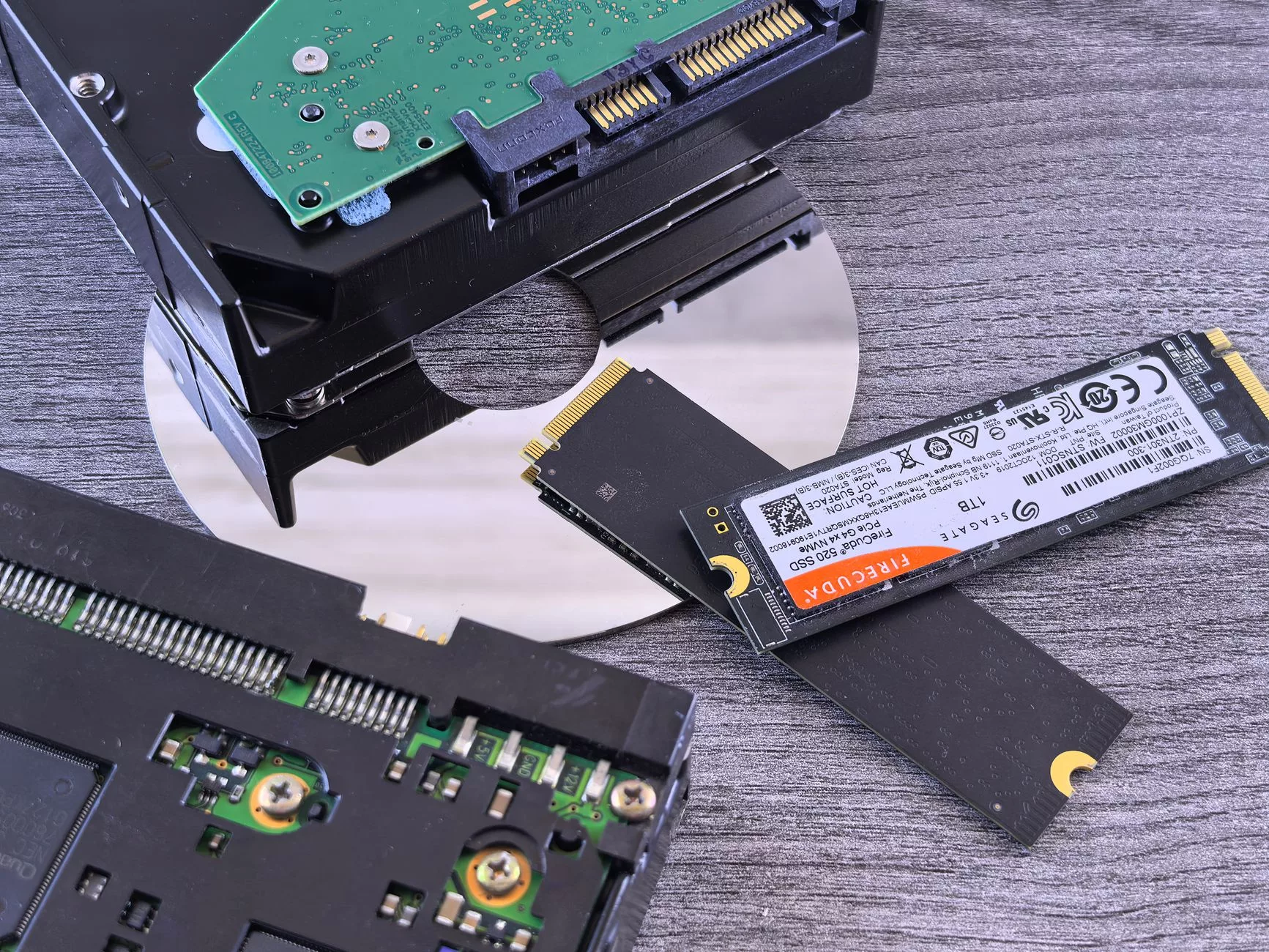
To overcome the limitations of shared disk pools, high-performance VDS configurations implement storage-level Quality of Service (QoS) controls alongside dedicated NVMe drive allocations. According to VirtualServersVPS in 2026, these advanced storage topologies ensure that disk I/O performance remains exceptionally steady, even during peak traffic hours or aggressive background maintenance tasks. Storage-level QoS acts as an enforced traffic controller for disk operations, guaranteeing minimum input/output operations per second (IOPS) and throughput thresholds while preventing any single virtual machine from hogging the storage controller queue. When combined with enterprise-grade NVMe drives communicating over high-speed PCIe lanes, this dedicated storage provisioning drastically reduces read and write latencies, dropping average response times from milliseconds down to microsecond scales for intensive database transactions.
| Performance Metric | Standard VPS (Shared) | High-Performance VDS (Isolated) |
|---|---|---|
| CPU Allocation | Burstable, shared physical cores | Dedicated 1:1 vCPU-to-thread mapping |
| Noisy-Neighbor Mitigation | Minimal or none; relies on hypervisor scheduling | Complete isolation via dedicated threads |
| Storage Architecture | Shared disk pools, pooled array queues | Dedicated NVMe with storage-level QoS |
| IOPS Predictability | Variable, subject to neighbor activity | Guaranteed minimums via traffic shaping |
For enterprise applications, e-commerce platforms processing high transaction volumes, and high-concurrency API backends, the choice between shared and isolated resource models dictates overall system reliability. When a database engine experiences sudden query spikes, having dedicated vCPU threads ensures that the operating system does not have to wait for hypervisor CPU time slices to free up. Similarly, when millions of log entries are written concurrently, dedicated NVMe storage equipped with strict QoS policies prevents input/output starvation. System architects must weigh these infrastructure guarantees against cost considerations, mapping out the precise performance requirements of their workloads before committing to a hosting tier.
Marketing Labels vs. Technical Reality in 2026 Hosting
As the cloud computing landscape matures, navigating the terminology used by modern hosting providers has become increasingly complex for web developers, system administrators, and business owners alike. In the contemporary hosting market, the historical nuances that once separated a Virtual Private Server from a Virtual Dedicated Server have largely dissolved in promotional brochures. According to industry analyses by Enterno.io in 2026, the naming gap has narrowed significantly, with VPS frequently sold under the guise of VDS. This linguistic overlap means that relying on the acronym alone no longer guarantees a specific technical architecture or hardware allocation model. When purchasing infrastructure, assuming that the name tells the entire story of your resource model is a critical and costly mistake.
Examining the actual infrastructure deployment models reveals that the practical difference is often minimal in modern hosting markets, where VPS and VDS are essentially different marketing names for the same underlying virtual server service, as noted by VStack in their 2026 market observations. WebCentral also argued in their 2025 assessments that these terms are essentially interchangeable synonyms. Consequently, hosting companies often leverage consumer perceptions of exclusivity—traditionally associated with the “Dedicated” in VDS—to command higher price points for configurations that are functionally identical to cheaper plans marketed simply as VPS. This marketing strategy capitalizes on legacy definitions where VPS implied container-based virtualization sharing a single operating system kernel, while VDS implied hypervisor-based hardware isolation. Today, however, nearly all commercial providers utilize advanced hypervisors like KVM or VMware, making the underlying virtualization engine identical regardless of the acronym stamped on the checkout page.
Because commercial labels are so frequently weaponized for marketing differentiation rather than technical accuracy, buyers must look past the sales copy and inspect the provider’s underlying hardware policies. The real differences that impact application performance, latency, and uptime are rooted in operational parameters such as CPU pinning, RAM reservation, storage input/output policies, and oversubscription rules. Two different providers might sell identical packages labeled as a “VDS” or a “VPS,” yet one could operate with a safe 4:1 memory and CPU oversubscription ratio, while another heavily packs nodes at a 20:1 ratio, leading to severe resource contention during peak traffic hours.
To help buyers decode what they are actually purchasing, the following comparative framework outlines how marketing claims translate into real-world server behaviors:
| Technical Parameter | Budget Marketing Label (Often “VPS”) | Premium Marketing Label (Often “VDS”) | Reality to Inspect in Terms of Service |
|---|---|---|---|
| CPU Allocation | Shared vCPUs with dynamic burst capacity | Guaranteed CPU cycles or dedicated threads | Check if CPU pinning is explicitly offered or if noisy neighbors can steal processing cycles. |
| RAM Guarantee | Dynamic memory allocation, subject to swap | 100% dedicated and physically reserved RAM | Verify whether memory is truly provisioned statically or subject to ballooning drivers. |
| Storage I/O Policy | Best-effort IOPS on shared enterprise arrays | Guaranteed IOPS tiers on dedicated NVMe pools | Read the acceptable use policy regarding disk read/write limits and latency caps. |
| Oversubscription | High-density node packing (up to 20 instances per physical core) | Low-density virtualization nodes (strict limits per physical core) | Inquire directly with support about the host-to-guest virtual machine ratio. |
As platforms like TutorialsPoint emphasize in their architectural overviews of virtualized environments, the boundary between these systems is dictated by resource provisioning rather than nomenclature. When evaluating a host, system administrators should bypass the marketing department entirely and request a detailed Technical Service Level Agreement (SLA). If a provider cannot explicitly state whether your instance shares its CPU cache or if your storage is throttled by noisy neighbor algorithms, the choice between a VPS and a VDS label becomes entirely irrelevant. Modern infrastructure auditing requires looking past the product name to examine hypervisor configurations, network port speeds, and hypervisor-level security boundaries to ensure that your workloads receive the predictable performance required for production-grade applications.
Workload Suitability: When to Choose VPS Versus VDS

Selecting the correct hosting tier for your digital infrastructure requires a granular understanding of how different architectures handle resource allocation under pressure. While marketing terminology in the hosting industry has historically used Virtual Private Server (VPS) and Virtual Dedicated Server (VDS) interchangeably, modern industry shifts reflect a critical evolution. In the last one to two years, contemporary deployment guides have increasingly described VDS as a distinct performance-isolation tier situated firmly above standard VPS configurations. This market trend highlights a growing demand from system architects and developers for dedicated CPU cores, reserved memory pools, and entirely predictable load behavior, especially when deploying mission-critical software. For a comprehensive overview of how these foundational infrastructure choices impact broader CMS deployments, you can review insights detailed in resources like the guide on how to choose the best WordPress hosting in 2026.
When mapping specific project requirements to server types, the primary differentiator lies in the neighborhood effect of shared hardware versus isolated resource pooling. According to infrastructure analyses published by HostAfrica, a standard VPS shares physical server hardware resources directly with other users on the same machine, even though those resources are partitioned virtually through hypervisor software. This means that if a neighboring tenant experiences a sudden traffic spike or resource exhaustion loop, the hypervisor may dynamically reallocate CPU cycles or memory bandwidth, potentially creating latency spikes for your own applications. Conversely, HostAfrica emphasizes that a VDS allocates strictly dedicated resources and provides significantly stronger isolation than a standard VPS, effectively eliminating noisy neighbor anomalies by hard-partitioning physical compute power and memory channels to a single client instance.
Understanding these foundational differences is essential when evaluating production environments, high-traffic ecommerce platforms, and complex Software-as-a-Service (SaaS) applications. According to recommendations outlined by Bluehost, VDS solutions are explicitly advised for growing websites, busy ecommerce stores, SaaS platforms, and enterprise-grade production workloads that require absolute performance consistency over cost-saving resource pooling. Let us break down how workload suitability aligns with these two architectural tiers across three primary operational categories:
- Standard Development and Staging Environments: For testing phases, low-traffic blogs, internal staging servers, and lightweight prototype applications, a traditional VPS offers an optimal cost-to-performance ratio. Because brief latency variations or minor CPU throttling do not impact core business revenue in a staging environment, sharing physical resources via a standard VPS allows development teams to minimize operational overhead while retaining full root access and custom environment configurations.
- High-Volume Production and Ecommerce Platforms: When running live online stores utilizing platforms like Magento, WooCommerce, or enterprise Shopify integrations, database lockups and transaction delays directly translate to abandoned carts and lost revenue. For these revenue-generating production workloads, the dedicated resource allocation of a VDS ensures that checkout processing speeds remain stable, even during major promotional events or flash sales where concurrent user traffic surges unpredictably.
- SaaS Applications and API Backends: Multi-tenant software applications and high-frequency API endpoints demand predictable execution times to satisfy strict Service Level Agreements (SLAs). If an API backend experiences random latency jitter due to resource contention from a noisy neighbor on a shared VPS, downstream client applications will fail. Deploying SaaS infrastructure on a VDS ensures that CPU cores and memory pools are permanently reserved, guaranteeing consistent response times and robust security boundaries between tenants.
To further clarify technical capabilities across these architectures, system administrators can evaluate core infrastructure parameters using comparative technical frameworks, similar to structural breakdowns found in technical repositories like TutorialsPoint’s guide on VPS versus VDS differences. When auditing your own application logs, if you routinely notice CPU steal time climbing above nominal thresholds or memory swapping occurring despite adequate RAM provisioning, your workload has likely outgrown standard VPS virtualization tiers. Transitioning to a dedicated performance tier ensures that your software stack operates with bare-metal reliability while retaining the operational flexibility and snapshot management inherent to modern virtualized environments.
Migrating and Upgrading: Best Practices for Server Transitions
Transitioning a live web application or high-traffic website from legacy shared hosting or an entry-level virtual configuration to a high-isolation environment—such as an advanced virtual private server or a dedicated resource tier—requires methodical planning. Recent industry analyses, including insights highlighted in TutorialsPoint’s VPS vs VDS overview, demonstrate that modern architectural decisions frequently focus on securing predictable load behavior, guaranteed CPU cores, and fully reserved memory. When moving workloads to these robust tiers, administrators must follow strict operational steps to safeguard data integrity, maintain service availability, and prevent unexpected downtime that could harm user experience or brand reputation.
The foundation of any successful server transition lies in comprehensive risk management and meticulous pre-migration auditing. Before moving a single byte of production data, system engineers must document every dependency, configuration file, database schema, and environment variable currently operating on the legacy system. Neglecting this discovery phase often results in broken file permissions, missing PHP extensions, or misconfigured web server modules upon deployment to the new environment. To execute this process smoothly without interrupting user sessions, webmasters can consult a dedicated How to Migrate Hosting Without Downtime: Step-by-Step Guide which details the precise DNS TTL reduction strategies and incremental data synchronization techniques required for enterprise-grade execution.
To ensure a seamless transition, operations teams should follow a structured, phased checklist that minimizes human error and standardizes the deployment workflow. Below is a comprehensive operational framework for executing server migrations into high-isolation tiers:
- Pre-Migration Audit and Inventory: Document all active domains, SSL certificates, cron jobs, database sizes, and third-party API integrations currently tied to the legacy infrastructure.
- Environment Provisioning and Hardening: Set up the new isolated server instance, configure secure SSH access, update system packages, deploy firewalls (such as UFW or firewalld), and replicate the exact web server stack (Nginx, Apache, or LiteSpeed) alongside the necessary database and runtime versions.
- Data Synchronization and Initial Testing: Perform an initial, full data sync using robust command-line utilities like `rsync` for files and `mysqldump` or structural replication for databases. Access the new server via local host file modification to test application functionality before pointing public traffic toward it.
- DNS TTL Reduction: Lower the Time-To-Live (TTL) value on all domain name DNS records to 300 seconds (or the lowest permitted limit) at least 24 to 48 hours before the scheduled cutover window. This ensures that global recursive resolvers rapidly pick up the forthcoming IP address modification.
- Final Cutover and Delta Sync: Execute a final delta synchronization of incremental file changes and database updates to capture any user activity generated during the testing phase. Update the DNS A and AAAA records to point directly to the new isolated server IP address.
- Post-Migration Monitoring: Monitor server logs, error rates, CPU load averages, and database connection pools continuously for the first 72 hours following the DNS propagation window to catch and resolve edge-case issues instantly.
Handling database cutovers demands exceptional care to prevent data loss or transaction corruption. When migrating dynamic applications powered by MySQL, PostgreSQL, or MongoDB, write operations on the old server must be temporarily halted or placed into maintenance mode while the final delta dump is applied to the destination host. For large-scale databases comprising hundreds of gigabytes, live replication strategies using binary logs (binlogs) or native master-replica replication offer a vastly superior alternative to traditional file dumping, allowing the new server to stay continuously synchronized until the exact moment of the DNS switch.
Security hardening must never be treated as an afterthought during an infrastructure upgrade. Standard shared hosting environments often abstract away server-level security responsibilities, leaving webmasters unprepared for the administrative duties required in high-isolation setups. Once the operating system is deployed on the new tier, disable root password authentication, enforce strict SSH key-pair access, configure intrusion detection systems like Fail2ban, and verify that all software repositories point to trusted, updated mirrors. Taking these proactive security measures guarantees that the performance gains achieved by moving to a dedicated resource tier are matched by an equally robust, enterprise-grade defensive posture.