The Evolution of WordPress AI: From Simple Prompts to Agentic Workflows

The landscape of content management systems has undergone a profound transformation, particularly within the open-source ecosystem that powers over forty percent of the web. To understand why modern content strategies look so different today, one only has to look back at the architectural shifts detailed in analyses like the Is WordPress Still Worth It in 2026? A Full Review breakdown. For years, integrating artificial intelligence into WordPress meant relying on fragmented, single-feature text generators. Content creators and site administrators would open an external web interface—such as a standalone large language model chat window—craft a prompt, copy the resulting output, and manually paste it into the WordPress block editor. This workflow, while innovative for its time, introduced constant friction, context switching, and formatting discrepancies that slowed down publishing velocity. By 2026, however, this rudimentary paradigm has been entirely superseded by autonomous capabilities and deeply embedded software logic.
A notable 2025-2026 shift is that WordPress AI has moved from single-feature generators toward agentic tools that can execute multi-step actions across a site, not just rewrite text. Instead of merely asking an AI to draft a meta description or spin a paragraph, modern site managers employ AI agents capable of orchestrating complex campaigns. For instance, an administrator can now issue a high-level command to audit an entire category, identify thin content, draft comprehensive expansions, optimize internal linking architecture, generate custom featured images, and schedule the updates across multiple custom post types—all while adhering to brand voice guidelines stored within the database. This transition from passive text-in-text-out models to proactive, goal-oriented agents represents a fundamental maturation of how humans interact with the world’s most popular publishing platform.
Another 2025-2026 shift is that AI features are increasingly embedded directly into page builders and the WordPress admin, reducing the need to copy content between separate apps. Modern site-building ecosystems have abandoned the era of detached plugins that required separate license keys and complex API configuration screens. Leading layout engines, as highlighted in the Elementor Updates Fall 2025: what’s new and what’s next overview, have natively integrated generative intelligence directly into the design canvas. Content creators no longer leave their workspace; they highlight a headline module, invoke an inline contextual menu, and instruct the native engine to adjust tone, translate into three regional dialects, and restructure the layout spacing to accommodate the new character count simultaneously. This seamless integration eliminates the cognitive overhead of managing multiple browser tabs and third-party software subscriptions.
To fully grasp the magnitude of this technological leap, it is helpful to examine the operational differences between the legacy approach of the early 2020s and the sophisticated agentic workflows standard in contemporary publishing environments.
| Feature / Capability | Legacy WordPress AI (2022–2024) | Modern Agentic WordPress AI (2025–2026) |
|---|---|---|
| Workflow Architecture | Disconnected external chats and siloed copy-pasting | Native admin integration and context-aware sidebars |
| Task Execution Scope | Single-paragraph generation and grammar checking | Multi-step site-wide execution (linking, tagging, layout) |
| User Intervention | High manual oversight required for formatting and placement | Autonomous multi-step task execution with human-in-the-loop review |
| Data Awareness | Limited to immediate prompt text and basic context | Comprehensive access to database schemas, user roles, and site taxonomy |
The practical implications of these agentic workflows extend far beyond mere typing speed. Because modern AI agents understand the underlying relational database structure of WordPress, they can perform intricate administrative housekeeping that previously required custom PHP scripting or database management tools. An AI agent can evaluate user engagement metrics, identify underperforming cornerstone articles, and autonomously suggest structural revisions, complete with updated schema markup and optimized image alt tags. This capability turns the CMS from a static publishing tool into an active, intelligent partner in digital marketing operations.
Furthermore, the democratization of these advanced workflows has reshaped team structures within digital agencies and publishing houses. Tasks that once required specialized technical personnel—such as configuring complex custom fields, setting up conditional logic for dynamic content blocks, or troubleshooting broken internal link networks—can now be initiated through natural language commands issued directly within the block editor or page builder interface. As these agentic tools continue to mature, the boundary between technical site management and creative content creation dissolves, allowing editorial teams to focus entirely on strategy, audience engagement, and high-value storytelling while the underlying CMS infrastructure handles the heavy lifting of optimization and deployment.
Leveraging Elementor AI for In-Editor Content Generation
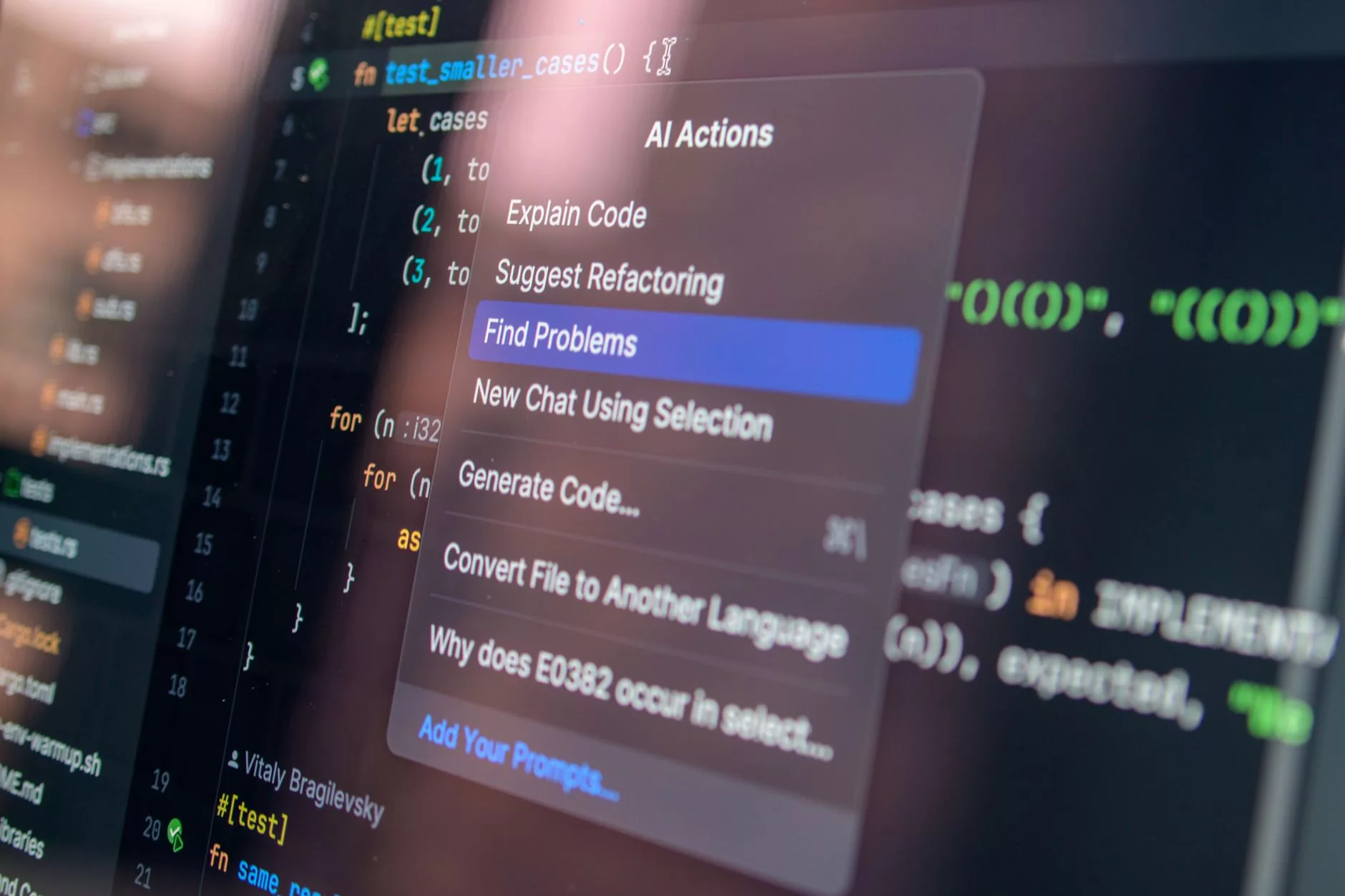
For years, digital creators and website administrators managing WordPress environments faced a persistent operational friction point: the constant need to context-switch between the website building interface and external large language models or image generation platforms. Crafting a landing page meant writing copy in a separate document or a ChatGPT-style tab, sourcing stock photography from external libraries, and then manually pasting and formatting those assets back into your layout. This traditional workflow created massive workflow bottlenecks, fracturing the creative process and slowing down deployment times for agencies and solo entrepreneurs alike. Today, the landscape of digital asset production has fundamentally transformed through deep integration architectures, particularly when examining tools like Elementor AI page builder solutions. By embedding intelligence directly inside the visual layout environment, site administrators can maintain a singular focus, transforming how pages are conceptualized, built, and optimized from the ground up.
As design paradigms evolved, tools like Elementor AI became embedded directly into the Elementor Editor Pro interface. This native placement means users can generate copy, images, and custom CSS without ever switching to a separate, external workflow. When you are designing a complex layout—such as the kind detailed in guides on how to build a high-converting WordPress site with Elementor—every second saved on administrative task switching compounds into higher productivity. Instead of breaking your design flow to log into a third-party application, prompt generation happens right inside the exact boundary box where the content will live. This contextual awareness allows the system to understand the surrounding elements, ensuring that generated copy fits the exact column width, typography hierarchy, and tone of the section it occupies.
The user experience within the visual builder is engineered around immediacy and intuitive discovery. The editor surfaces visible AI controls such as “Write with AI” and “Create with AI” directly on standard content widgets like the Text Editor, Heading, and Image modules. The moment you click on a heading or text block, these contextual prompts appear as a natural extension of the standard editing toolbar. You do not need to memorize complex shortcodes or navigate through dense administrative menus to access advanced generation features.
To illustrate how these contextual triggers streamline day-to-day layout assembly, consider the following functional breakdown of native widget integration:
| Widget Type | Visible Control | Primary In-Editor Function |
|---|---|---|
| Heading | “Write with AI” | Generates punchy, SEO-optimized titles, alters tone, or condenses messaging. |
| Text Editor | “Write with AI” | Expands bullet points, translates copy, fixes grammar, or writes full paragraphs. |
| Image Box | “Create with AI” | Generates context-aware visual graphics, adjusts aspect ratios, and applies styles. |
| Custom CSS Container | “Write with AI” | Generates precise style rules and layout adjustments using natural language prompts. |
Beyond simple text generation, the ability to produce custom CSS using natural language prompts within the editor democratizes advanced styling. If a developer needs a unique hover effect or a specific responsive margin adjustment, they can simply type the desired outcome into the AI prompt box integrated into the widget’s advanced tab, and the system writes the code instantly. According to an industry usage report published by W3Techs in 2025 regarding content management system adoption trends, over 43 percent of all top-tier websites run on WordPress, making native in-editor automation features critical for scaling web production workflows efficiently across teams of all sizes.
Naturally, deploying these advanced capabilities within a commercial or personal site requires an understanding of licensing structures and resource allocation. Users need an active Elementor Editor Pro license for certain AI features, and the AI tools draw from the account’s credit pool. This credit-based system ensures that high-volume generation—ranging from multi-paragraph blog posts to intricate photorealistic product mockups—remains transparent and manageable based on your subscription tier. Rather than paying unpredictable API fees to external providers, site owners manage their usage allowances directly within their subscription dashboard, keeping operational expenses predictable.
Ultimately, integrating these smart features directly into the visual building canvas changes the psychology of web design. By removing the friction of external content generation, creators are empowered to experiment more freely with headlines, layouts, and visual assets. Whether you are spinning up a rapid landing page or refining the micro-typography of an e-commerce checkout flow, keeping your tools under one roof maximizes creative momentum and accelerates project delivery from concept to launch.
Next-Gen Site Management: Understanding Agentic Frameworks like Angie
The evolution of artificial intelligence within content management systems has officially transcended the boundaries of simple text generation and image creation. For years, WordPress site administrators relied on isolated plugins that required manual prompt entry for every individual blog post, meta description, or landing page layout. However, the paradigm shifted dramatically when the ecosystem began embracing autonomous, goal-oriented architectures known as agentic frameworks. Rather than waiting for a human to orchestrate every incremental step, these next-generation systems are built to understand complex, multi-layered objectives, independently formulating strategic execution plans to manage entire digital environments.
A prime catalyst for this architectural transformation arrived when Elementor officially positioned Angie as a free, agentic AI framework designed specifically for WordPress orchestration. While traditional tools like Elementor AI remain confined to their roles as in-editor utilities for generating individual paragraphs, custom CSS, or visual assets inside the Elementor Editor Pro interface, frameworks operating on agentic principles function as holistic digital managers. They can evaluate site health, interpret user directives phrased in natural language, and systematically execute structural modifications directly inside the WordPress dashboard without requiring constant human micromanagement.
At the core of this operational leap is the utilization of advanced communication protocols that allow artificial intelligence to comprehend the deep architecture of a website instantaneously. According to official product architecture documentation released by Elementor, Angie uses the Model Context Protocol (MCP) to inherit a site’s structure automatically. This technical implementation represents a massive departure from older prompt-only assistants that operated blindly, possessing zero intrinsic awareness of existing database schemas, custom post types, active plugins, or theme hierarchies. By leveraging the Model Context Protocol, the agentic framework maps out the ecosystem in real time, granting the AI immediate contextual awareness of how pages link together, where templates reside, and what specific capabilities the underlying WordPress installation possesses.
“` +——————————————————-+ | Human User / Admin | | (Issues High-Level Natural Language Goal) | +—————————+—————————+ | v +——————————————————-+ | Agentic Framework (e.g., Angie) | | – Uses Model Context Protocol (MCP) | | – Inherits Site Structure Automatically | | – Plans Multi-Step Execution Strategy | +—————————+—————————+ | v +——————————————————-+ | WordPress Core & Dashboard | | – Executes Modifications Safely | | – Updates Content, Layouts, and Configurations | +——————————————————-+ “`
This structural inheritance makes agentic solutions infinitely more task-driven than their predecessors. Instead of simply answering a question or spitting out a block of markdown text that a developer must manually copy, paste, format, and publish, an agentic framework breaks down a high-level command into a logical sequence of sub-tasks. If a site administrator issues a command to restructure a conversion funnel, the framework evaluates the existing landing pages, identifies missing call-to-action blocks, generates the appropriate copywriting, deploys the required layout changes via the page builder API, and verifies that internal linking structures remain intact. This capability transforms the artificial intelligence from a passive writing assistant into an active site operations manager.
Furthermore, recent ecosystem developments have expanded the distribution and deployment models of these advanced utilities. As highlighted in product rollout coverage published by Elementor, Angie was introduced as a repository-available product for WordPress automation. This release strategy signals a mature shift in how enterprise-grade automation tools are delivered to the open-source community, indicating that the broader WordPress ecosystem has officially expanded far beyond basic content writing plugins and rudimentary SEO optimizers. Developers and agency owners can now integrate these frameworks directly into their staging and production pipelines, ensuring that routine maintenance, structural scaling, and content updates are handled with programmatic precision.
The safety implications of adopting agentic frameworks cannot be overstated. When artificial intelligence is granted the capability to modify a production database or alter theme configurations, the risk of catastrophic errors traditionally skyrockets. However, because protocols like the Model Context Protocol provide a structured, sandboxed interface between the AI reasoning engine and the WordPress core files, these next-generation systems can simulate modifications, check for dependency conflicts, and execute changes within strict guardrails. This dramatically reduces the likelihood of white screens of death or broken shortcodes, providing web professionals with the confidence to delegate repetitive operational workflows to autonomous agents.
Ultimately, integrating agentic AI frameworks into the WordPress dashboard bridges the gap between high-level strategic planning and technical execution. By moving away from isolated prompt-and-response text boxes toward deeply integrated systems that understand site topology through standardized protocols, website managers can focus on growth, conversion optimization, and creative direction. To explore how these capabilities are packaged for deployment, you can review the official documentation for Angie: AI for WordPress creation & management, which outlines the core specifications for incorporating agent-driven automation into modern web development workflows.
Top Third-Party Plugins: OmniWrite and PressGo AI

As the WordPress ecosystem continues to mature, site owners and content creators are no longer constrained by native publishing tools or monolithic enterprise suites. Independent developers have introduced specialized third-party solutions designed to streamline editorial pipelines, page construction, and asset generation directly inside familiar page builders like Elementor. Among these alternatives, OmniWrite AI and PressGo AI have emerged as prominent contenders, each catering to distinct operational models, budget structures, and technical requirements. Analyzing how these plugins function within a modern production environment reveals crucial insights for administrators aiming to scale their output without inflating overhead costs.
OmniWrite AI represents a powerful, feature-rich approach tailored for users who require deep integration between textual generation and visual asset creation. In observations of its ecosystem configuration, OmniWrite AI for Elementor demonstrates a streamlined operational pattern: AI content and AI images can be generated directly inside the Elementor interface after installing both the core Elementor plugin and the OmniWrite AI extension. This dual capability eliminates the disruptive friction of switching between browser tabs, external image generators, and the WordPress dashboard. However, unlocking this level of localized automation demands specific infrastructural compliance. Technical specifications for OmniWrite AI for Elementor list Elementor version 3.0.0 or higher as a mandatory prerequisite, alongside an active OpenAI API key or another securely configured third-party AI provider credential. Administrators must manage their own token consumption and billing externally through their chosen provider dashboard, granting them granular financial control over high-volume publishing campaigns.
In direct contrast, PressGo AI approaches the content and layout automation puzzle through a conversational interface philosophy. PressGo AI for Elementor heavily advertises a chat-driven landing-page workflow that fundamentally alters how marketing pages are conceptualized and built. Instead of manually dragging widgets, configuring column padding, and writing copy paragraph by paragraph, users interact with an integrated conversational prompt box. The plugin interprets structural commands and populates the layout dynamically. What makes this option particularly attractive for budget-conscious site owners or freelance developers managing smaller client accounts is its architectural flexibility: PressGo AI states that it works seamlessly with Elementor Free, meaning deployment does not force an immediate upgrade to Elementor Pro. This lowers the barrier to entry significantly for lean operations seeking high-converting landing pages without recurring commercial license fees for layout builders.
When evaluating these two solutions for a production workflow, administrators must weigh configuration complexity against functional scope. OmniWrite AI demands API management expertise and a strict adherence to version dependencies, making it better suited for established teams with dedicated technical oversight who require robust image generation alongside text. Conversely, PressGo AI offers a streamlined, conversational avenue for rapid layout deployment that respects tight software budgets by leveraging free site configurations. By carefully aligning these technical parameters with organizational objectives, content managers can integrate the ideal third-party accelerator to maximize editorial throughput.
Understanding Credit Systems and Pricing Models in Modern AI Plugins
The monetization landscape for artificial intelligence integration within content management systems has undergone a fundamental transformation. In the early days of generative artificial intelligence plugins, many developers attempted to offer unmetered, flat-rate text and image generation. However, soaring operational expenses—driven by the heavy computational requirements of large language models—quickly rendered unlimited access economically unsustainable for software vendors. As a result, the ecosystem has shifted dramatically toward tiered pricing structures and metered usage policies. When evaluating the total cost of running a publishing platform, understanding these financial mechanics is just as critical as analyzing traditional hosting expenditures, a dynamic explored further in analyses such as the Is WordPress Actually Free? Hidden Costs in 2026 overview.
To navigate this landscape effectively, website administrators must look beyond the initial purchase price of a plugin and examine how these monetization systems operate on a day-to-day basis. Modern WordPress plugins frequently utilize a token-based or credit-based architecture rather than offering blanket, unhindered access. Under this arrangement, every interaction—whether drafting a 2,000-word article outline, optimizing meta descriptions, or generating custom featured images—deducts a specific amount of digital currency from a centralized pool.
This shift to metered allocation protects software providers from the financial ruin of power users who might otherwise drain thousands of dollars in API calls under a flat monthly fee. A clear illustration of this modern paradigm is found in PressGo AI’s 2026 operational framework, where their API mode allocates a restrictive baseline of only 10 free credits per month. This conservative allotment immediately demonstrates to site owners that automated content generation is treated as a premium utility rather than an infinite resource.
Major ecosystem players have adopted similar resource-governance models to balance infrastructure costs with user demand. For instance, platform-level integrations enforce strict gating mechanisms to ensure that high-compute features are backed by sufficient commercial commitment. According to official product specifications issued by Elementor in 2026, users must maintain an active Elementor Editor Pro license simply to unlock specific AI capabilities, and even then, these advanced design and text generation tools draw directly from a centralized account credit pool rather than operating independently. This dual-layer approach—requiring both a core software subscription and a consumed-credit mechanism—ensures that the immense infrastructural costs of running modern transformer models are sustainably managed across the entire user base.
| Pricing Model | Operational Mechanism | Common Advantages | Potential Drawbacks |
|---|---|---|---|
| Flat-Rate Subscription | Fixed monthly fee for unlimited or high-cap generation. | Predictable budgeting; no need to monitor every single click. | Often leads to throttling, sudden policy changes, or service phase-outs due to high server costs. |
| Credit-Based Allocation | Users buy or receive a specific number of tokens/credits per month. | Fair usage; light users do not subsidize heavy enterprise consumers. | Risk of running out of resources mid-project; requires careful monitoring of consumption rates. |
| Bring-Your-Own-Key (BYOK) | Users plug in their own OpenAI, Anthropic, or Gemini API keys. | Maximum transparency; pay providers directly at wholesale token rates. | Complex setup for non-technical users; billing is completely decoupled from the plugin interface. |
When calculating the return on investment for an AI-powered content workflow, webmasters must account for how quickly these operational allowances deplete. A single long-form blog post, when subjected to iterative drafting, keyword insertion, and automated rewriting rounds, can easily consume dozens—if not hundreds—of credits depending on the complexity of the underlying model. Consequently, professional content teams often find themselves adopting a hybrid strategy. They may utilize native plugin credits for rapid ideation and minor copyedits while routing heavy-volume generation through direct API configurations or specialized third-party automation software.
Ultimately, the widespread adoption of credit-based metering reflects the mature reality of artificial intelligence economics. As generative models grow larger, more nuanced, and more computationally expensive to host, the era of truly unlimited, low-cost AI writing assistants inside a dashboard has effectively drawn to a close. Website owners and digital agencies must carefully audit their monthly content output volumes, align them with the credit thresholds of their chosen plugins, and factor these ongoing operational expenses directly into their digital marketing budgets to avoid unexpected service interruptions during critical publishing cycles.
Best Practices for Safe AI Deployment, Brand Voice, and Security

Integrating artificial intelligence into your WordPress publishing ecosystem unlocks unprecedented efficiency, yet absolute automation without strategic guardrails introduces significant risks to site integrity, data privacy, and audience trust. Content teams can no longer afford to deploy generative tools blindly across live production environments. To harness modern workflow automation successfully, administrators must establish a robust framework centered on safety-by-design concepts, stringent brand voice governance, and comprehensive platform security. By implementing rigorous verification protocols before content ever reaches your visitors, you protect your digital assets while scaling output effectively.
A foundational element of modern AI deployment relies on adopting safety-by-design concepts, mirroring strategies highlighted by Elementor regarding their Angie assistant, which evaluates and tests actions inside an isolated sandbox environment before applying changes live to the site. Historically, early-generation plugins pushed automated changes directly to production databases, frequently resulting in broken layouts, hallucinated text formatting, or unintended database corruption. A modern shift emphasizes much safer workflows incorporating sandbox testing, granular user permissions, and guided setup wizards rather than reckless, fully automatic publishing. Administrators should mandate that any structural change, plugin-assisted layout modification, or bulk content generation first runs through a staging environment or testing sandbox. This allows content managers to review outputs for factual accuracy, formatting flaws, and styling regressions before pushing updates to the public internet, thereby eliminating the risk of embarrassing production errors.
Beyond structural safety, maintaining a distinct and recognisable brand identity across all automated outputs remains an ongoing operational challenge. When left unguided, large language models tend to default to predictable, bland, and overly generic phrasing that dilutes a company’s unique market position. To combat this homogenization, forward-thinking platforms now allow granular brand governance configurations directly within administrative dashboards. For instance, according to Elementor’s 2026 platform specifications, administrators should actively configure brand voice parameters in Site Settings > AI so that generated copy remains consistently aligned with company tone, vocabulary preferences, and style guides instead of sounding generic. Establishing these parameters involves defining precise instructions regarding sentence length, industry terminology, preferred points of view, and prohibited buzzwords. By baking these linguistic constraints directly into the generation pipeline, content creators ensure that every drafted article, product description, or landing page maintains the exact conversational nuance your audience expects.
Securing your WordPress installation against emerging vulnerabilities associated with third-party software integrations is equally critical when adopting automated tools. Because many artificial intelligence assistants require external API calls, remote prompt processing, and elevated database privileges to function, they can inadvertently introduce attack vectors if misconfigured or if outdated components are left unpatched. Site owners must pair their deployment strategies with foundational site defense measures, drawing upon established guidelines such as those detailed in the Essential WordPress Security Practices to Stop Hackers in 2026 guide. Key technical safeguards include enforcing the principle of least privilege—ensuring that AI plugins only possess the minimum necessary database access required for their specific tasks—alongside regular credential rotations, encrypted API keys, and comprehensive activity logging to monitor unauthorized generation attempts or suspicious backend modifications.
| Deployment Phase | Risk Factor | Recommended Mitigation Strategy |
|---|---|---|
| Initial Setup | Over-privileged API access | Restrict plugin capabilities and enforce strict user role management |
| Content Generation | Generic or unbranded phrasing | Configure explicit style parameters within the system’s central AI settings |
| Live Application | Unchecked layout or text errors | Execute all modifications within a sandbox environment before public release |
Ultimately, a sustainable automated content strategy requires ongoing human oversight, often referred to in enterprise publishing workflows as a human-in-the-loop model. While tools like Angie: AI for WordPress creation & management dramatically accelerate the heavy lifting of drafting, structuring, and ideation, they cannot replace human judgment regarding editorial ethics, legal compliance, and emotional resonance. Content teams should establish a mandatory editorial review checklist that examines every automated draft for potential factual inaccuracies, stylistic drifting, and adherence to search engine quality guidelines. By treating AI as a highly capable assistant rather than an autonomous publisher, organizations can safely scale their editorial output while rigorously defending their brand reputation, user experience, and overall web security posture.