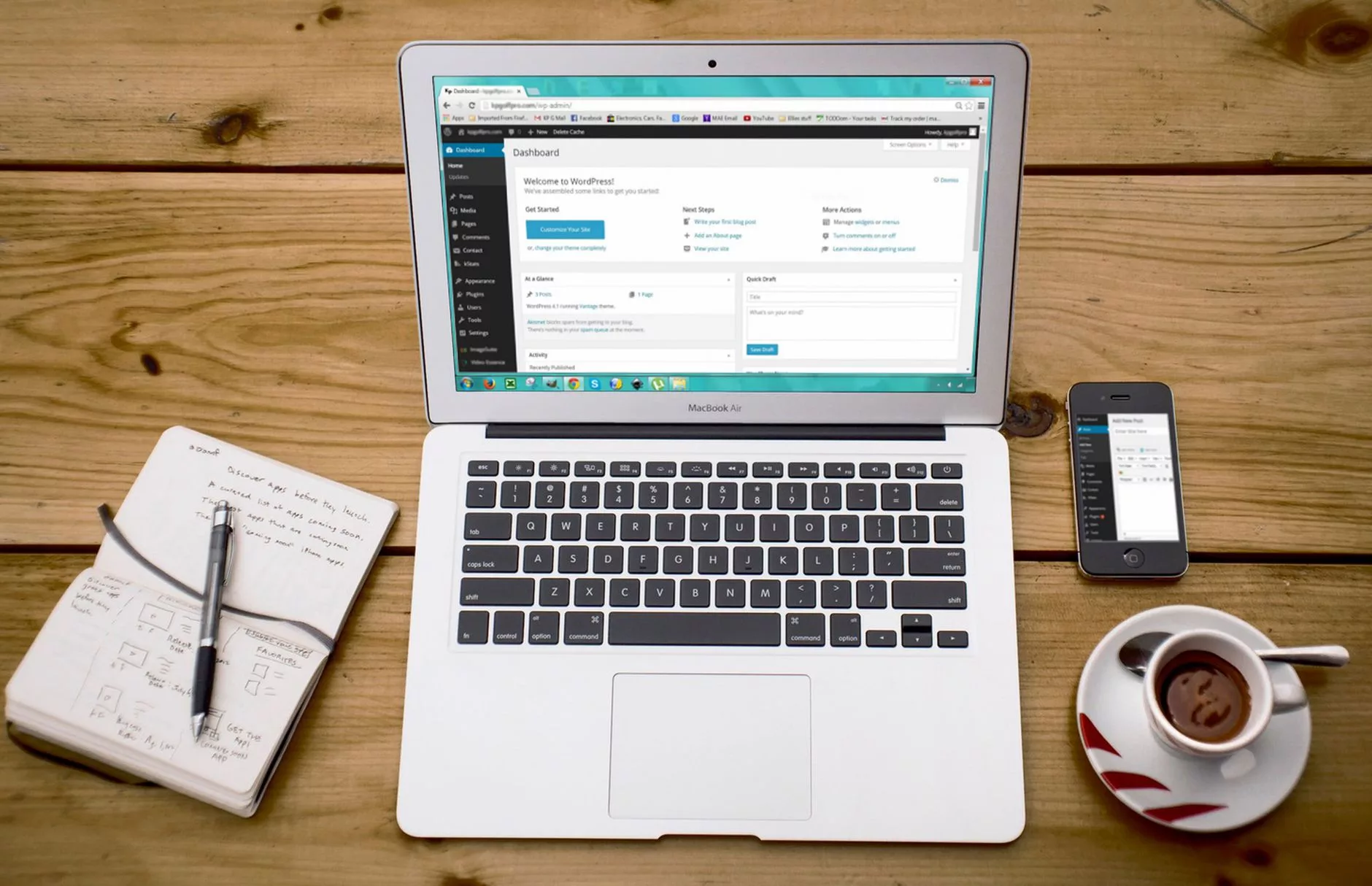
The Evolution of WordPress: Where the Platform Stands Today
To understand whether the world’s most popular content management system remains a viable choice, one must first look at how far the software has traveled from its roots as a simple blogging tool. For beginners exploring foundational questions like What Is WordPress and Why Do Millions Use It?, the platform today bears little resemblance to the rigid, shortcode-heavy environment of the past. Over the last several years, the core development team has systematically overhauled the underlying architecture, transforming WordPress into a versatile, enterprise-grade publishing ecosystem that powers over forty percent of the top ten million websites globally, according to W3Techs’ 2026 market share data. This longevity and adaptability are precisely why digital strategists continually revisit inquiries such as What Is WordPress & Why Do Top Websites Use It? to gauge its enterprise readiness.
A major milestone in this ongoing transformation arrived with the landmark release of WordPress 7.0, which landed on May 20, 2026. As detailed in the official What’s new for developers? (June 2026) update, this major version introduced sweeping architectural changes designed to streamline high-performance hosting environments and modernize application delivery. Alongside these progressive feature sets, the core team also implemented necessary deprecations to keep the codebase lean. Notably, the experimental `wp-now` tool was officially deprecated, signaling a decisive shift in local developer workflows toward native containerization and standardized Node.js or Docker-based toolchains rather than maintaining redundant sandbox utilities.
Simultaneously, the platform has maintained rigorous standards for stability and backward compatibility through frequent maintenance cycles. Earlier in the year, WordPress 6.9.1 shipped with an impressive 49 distinct bug fixes, a milestone thoroughly documented in the What’s new for developers? (February 2026) release notes. This relentless dedication to routine maintenance proves that despite rapid feature innovation, the core project maintains an uncompromising commitment to site reliability, security patching, and graceful degradation for millions of active production sites worldwide.
Furthermore, the architectural shift toward Full Site Editing (FSE) and block themes has finally reached true maturity. In earlier iterations, block editing was often perceived as an awkward hybrid of classic PHP templates and modular block insertions. Today, a modern 2026 WordPress development guide confirms that block themes, global styles, and template part editing are the default standard for building digital experiences. Developers and content creators no longer rely on complex third-party page builders or convoluted shortcode combinations to achieve pixel-perfect layouts. Instead, typography palettes, spacing dimensions, and structural templates are controlled natively through a unified, accessible site editor interface.
To appreciate the scale of this modernization, consider the following structural changes that define the contemporary WordPress environment:
| Era / Feature | Legacy Approach (Pre-FSE) | Modern Approach (Current Ecosystem) |
|---|---|---|
| Theme Architecture | PHP-based template files (`header.php`, `single.php`) | JSON-driven block templates and global settings |
| Layout Control | Third-party page builders or shortcode injections | Native Full Site Editing blocks and pattern library |
| Local Development | Manual LAMP stacks or proprietary desktop apps | Standardized containerization and modern CLI workflows |
| Maintenance Cadence | Infrequent major overhauls with fragmented patches | Automated minor releases and rapid bug-fix deployment |
Ultimately, this maturation process answers the skepticism of critics who once argued that WordPress was too bloated or anchored to legacy tech debt to compete with modern headless frameworks. By embracing modular block mechanics, accelerating core release cycles, and cleaning up developer tooling, WordPress has successfully bridged the gap between rapid consumer publishing and enterprise-level engineering. The platform stands today not as a static relic of the early web, but as a dynamic, deeply integrated framework capable of competing directly with custom-built JavaScript applications while retaining the unmatched usability that made it a global phenomenon.
Deconstructing WordPress Pricing: Hosting, Domains, and Hidden Fees
When diving into the world of content management systems, one of the most persistent myths is that WordPress is entirely free. While the core software available via self-hosted WordPress.org carries a literal price tag of zero dollars, launching and maintaining a functional, professional website requires a completely different financial calculation. Understanding the actual ecosystem of expenses demands a clear-eyed look at how costs accumulate, shifting the perspective from a theoretical zero-cost platform to a managed business asset with predictable overhead. Evaluating the financial realities requires parsing the divergence between self-hosted WordPress.org and the managed tiers of WordPress.com, alongside the dramatic gap between eye-catching introductory deals and true long-term operational budgets.
At the foundational level, running a self-hosted WordPress.org site means you must secure your own infrastructure. For a comprehensive understanding of how these underlying servers operate, you can consult a beginner’s guide to servers. According to Forbes Advisor’s 2026 guide, self-hosted WordPress relies entirely on pairing the free software with paid third-party hosting, whereas WordPress.com structures its proprietary service across a tiered pricing model that ranges from a limited free tier up to $70 per month for advanced business capabilities. This architectural distinction forms the bedrock of website budgeting: with WordPress.org, you buy your hosting and domain separately and maintain absolute control; with WordPress.com, you are paying a platform fee that bundles hosting, security, and infrastructure management into a single subscription.
When shopping for third-party hosting to power a self-hosted site, beginners are often seduced by aggressive marketing promotions. According to Forbes Advisor’s 2026 guide, basic WordPress hosting can start under $3 per month on introductory promotional offers. However, webmasters must look past these initial teaser rates. Those low-cost entry tiers invariably spike upon renewal—often jumping by 100% to 300% after the first billing cycle ends—and they frequently lack the server resources, caching layers, and security protocols needed as traffic scales. For high-traffic sites, enterprise requirements, or mission-critical e-commerce stores, hosting costs can easily rise to $100 per month or more for higher-tier managed WordPress hosting environments that guarantee uptime, automated daily backups, and robust staging environments.
Beyond basic hosting and domain registration—which typically adds $10 to $20 annually for a standard `.com` address—the hidden fees of running a WordPress site begin to accumulate quickly. While thousands of free themes and plugins exist in the official repository, professional websites almost universally rely on paid ecosystem assets. According to a 2026 pricing analysis published by Marketing by Magnet, a lean, stripped-down self-hosted WordPress setup can be managed for as low as about $150 per year. Yet, that figure represents an absolute bare-minimum scenario that leaves little room for growth, premium features, or security hardening.
To bridge the gap between a fragile DIY project and a resilient digital storefront, a realistic self-hosted site often costs $500 to $2,000+ per year once premium plugins, commercial themes, developer licenses, and routine maintenance are factored into the equation. These recurring costs typically include advanced search engine optimization toolkits, premium security plugins to prevent malicious breaches, transactional email delivery services, e-commerce extensions like WooCommerce payment gateways, and commercial page builders. Furthermore, unexpected developer fees or emergency troubleshooting for plugin conflicts can rapidly inflate annual expenditures.
| Expense Category | Lean Setup (Annual) | Realistic Professional Setup (Annual) | Enterprise / High-Growth Setup (Annual) |
|---|---|---|---|
| Domain Registration | $12 – $15 | $15 – $30 (multiple extensions) | $50+ (brand protection domains) |
| Hosting Infrastructure | $36 – $60 (introductory rates) | $120 – $300 (reliable standard hosting) | $1,200 – $2,400+ (managed dedicated servers) |
| Themes & Templates | $0 (free repository themes) | $60 – $100 (one-time or annual commercial license) | $200+ (custom design frameworks) |
| Plugins & Extensions | $0 (free versions only) | $150 – $500 (SEO, security, caching, forms) | $600 – $1,500+ (advanced e-commerce, memberships) |
| Total Estimated Cost | ~$150 per year | $500 to $2,000+ per year | $2,500 to $5,000+ per year |
Ultimately, approaching WordPress pricing requires treating your website as an operational business tool rather than a static digital brochure. By accounting for the inevitable post-introductory hosting rate increases, budgeting for essential paid plugins, and setting aside funds for routine maintenance, site owners can avoid the unpleasant shock of hidden fees and build a sustainable, long-term financial strategy for their online presence.
Comparing WordPress.org vs. WordPress.com Plans and Value in 2026
Evaluating the true cost of running a website requires a deep dive into the ongoing financial and functional split between self-hosted WordPress.org and the managed ecosystem of WordPress.com. While both platforms share the same core publishing software, their business models, hosting structures, and monetization paths create vastly different economic outcomes for site owners. When analyzing the fiscal landscape, prospective site owners must weigh the predictable, often lower direct software costs of self-hosting against the convenience, bundled hosting, and automated maintenance offered by Automattic’s managed platform.
The financial divergence becomes immediately apparent when reviewing contemporary industry analyses. According to the WordPress Pricing (2026 Guide) published by Forbes Advisor, WordPress.com structures its paid tiers at $9, $18, $40, and $70 per month, establishing a wide spectrum that scales from basic personal blogs up to robust business portals. Conversely, alternative market aggregation tracked by CompareEdge maps out a slightly different monthly fee schedule for the same tiers. Specifically, the CompareEdge 2026 pricing summary outlines the WordPress.com Personal tier at $10.50 per month, the Premium tier at $21 per month, the Business tier at $46 per month, and the Commerce plan climbing to $80.50 per month, with Enterprise-grade solutions handled entirely through customized annual contracts that carry no public rate. This variance in reported figures highlights how promotional rates, regional taxes, and annual billing commitments can subtly alter the baseline cost of entry across different evaluation windows.
However, financial calculations shifted dramatically following a major platform overhaul. According to Marketing by Magnet’s 2026 WordPress pricing analysis, WordPress.com introduced a monumental structural change in April 2026 by rolling out full plugin support across all paid plans. Historically, unlocking the ability to install third-party plugins and custom code required upgrading to the expensive Business tier or higher. By democratizing plugin access down to the lowest entry-level paid tiers, this update fundamentally re-engineered the platform’s value proposition. Users on lower-cost plans can now leverage SEO toolkits, custom contact forms, and security plugins without being forced into premium pricing brackets, closing the functional gap that traditionally drove developers away from WordPress.com and toward self-hosted WordPress.org solutions.
To visualize how these ecosystems compare across key operational dimensions, the following breakdown contrasts self-hosted infrastructure with managed tiers:
| Feature / Metric | Self-Hosted WordPress (.org) | WordPress.com Paid Plans (Post-April 2026) |
|---|---|---|
| Hosting & Setup | Requires third-party host (Bluehost, SiteGround, etc.) | Fully managed infrastructure bundled in subscription |
| Plugin Freedom | 100% unrestricted access to all plugins from day one | Full plugin and theme upload now available on all paid tiers |
| Core Maintenance | Manual or automated updates managed by the user | Automatic core, theme, and security updates handled by platform |
| Cost Predictability | Variable costs (domain, separate hosting, premium plugins) | Flat monthly subscription fee covering hosting and core features |
| Support Quality | Relies on community forums or host-specific customer service | Direct ticket-based support from Automattic support engineers |
For users comparing WordPress.org, the math usually hinges on raw software license costs versus labor. WordPress.org software is entirely free, but site administrators must independently purchase web hosting, secure an SSL certificate, register a domain name, and configure site backups. While this modular approach can reduce initial monthly overhead to just a few dollars for basic shared hosting, it places the absolute burden of security hardening, uptime monitoring, and troubleshooting squarely on the site owner.
On the other hand, WordPress.com wraps these technical requirements into a unified subscription. While the monthly fees—ranging from $9 to over $80 per month depending on the specific tier and data source consulted—are higher than bare-bones shared hosting, they buy peace of mind through automated infrastructure management. The April 2026 policy shift allowing plugins on entry-level plans means budget-conscious users no longer have to sacrifice extensibility for the sake of managed convenience. Ultimately, deciding between the two models in 2026 depends on technical appetite: WordPress.org remains the undisputed king of cost-optimized, infinitely customizable scaling for hands-on developers, whereas WordPress.com’s modern plan structure offers a streamlined, fully supported alternative for creators who prefer to outsource server administration.
Essential WordPress Features for Modern Businesses and E-commerce

When evaluating whether a content management system fits a modern corporate strategy, business owners must look beyond basic blogging capabilities and examine the robust toolkit required for daily operations, scalability, and financial predictability. WordPress has evolved far beyond its early reputation as a simple journaling platform, transforming into a comprehensive operating system for digital enterprises, service-based corporate sites, and high-volume online storefronts. Understanding the intersection of core platform features, total cost of ownership, and recent user experience upgrades is vital for stakeholders trying to navigate the crowded landscape of content management systems and proprietary software-as-a-service alternatives.
At the heart of the platform’s enduring appeal for commercial entities is its remarkable cost efficiency and architectural flexibility. According to financial breakdowns published in BrandyWebs’ July 2026 market analysis, building and launching a simple corporate business website on WordPress typically incurs a first-year expenditure ranging from approximately $95 to $200. This minimal layout primarily covers essential operational requirements such as a custom domain registration and reliable managed hosting infrastructure. When scaling these operations into full-fledged digital retail using the WooCommerce ecosystem, BrandyWebs’ July 2026 data indicates that running WordPress with WooCommerce on optimized managed hosting generally totals between $84 and $384 annually, excluding standard payment gateway transaction fees. This financial profile consistently undercuts comparable proprietary SaaS e-commerce stacks, which often impose steep monthly subscription tiers alongside unavoidable revenue-sharing commissions on every sale processed through the platform.
To visualize how these platform investments translate into operational reality, business owners can evaluate a structural comparison between self-hosted WordPress deployments and closed SaaS alternatives across key operational categories:
| Operational Feature | Self-Hosted WordPress & WooCommerce | Proprietary SaaS Alternatives |
|---|---|---|
| First-Year Financial Outlay | $84 – $384 (Domain & Managed Hosting) | $300 – $1,200+ (Tiered Subscriptions) |
| Data Ownership | 100% complete data portability and database control | Restricted access; vendor lock-in mechanics |
| Transaction Commissions | Zero platform-imposed revenue cuts (payment gateway fees apply) | Frequently adds 0.5% to 2% extra on external gateways |
| Extensibility | Tens of thousands of open-source plugins and custom code hooks | Curated app stores with recurring subscription fee models |
Beyond initial deployment economics, the daily administration interface dictates how efficiently marketing teams, content managers, and store operators can execute their duties. Continuous refinement of the core publishing architecture has targeted long-standing administrative friction points, making the backend environment far more intuitive for non-technical personnel. A notable development highlighted in the developer documentation for the What’s new for developers? (August 2026) update details how Media Library infinite scrolling is now enabled by default across installations, complete with a convenient per-user opt-out setting. This seemingly minor tweak eliminates the tedious pagination loops that previously slowed down content managers handling thousands of high-resolution product photographs, corporate headshots, and promotional banners, thereby streamlining media management workflows in large digital organizations.
For e-commerce operators, the platform provides an expansive toolkit that rivals enterprise-grade proprietary software without sacrificing customizability. Business owners can integrate advanced inventory management workflows, multi-currency pricing displays, automated tax calculation engines, and localized shipping calculators directly into their core architecture. Because the underlying codebase is open-source, developers can write bespoke API connections to enterprise resource planning systems, customer relationship management software, and warehouse fulfillment networks. This capability ensures that as a modern business scales transaction volume, the underlying technology stack can expand dynamically without requiring a disruptive and expensive platform migration to a completely different digital ecosystem.
Ultimately, the combination of predictable annual maintenance costs, extensive third-party integration capabilities, and responsive core administrative improvements ensures that the platform remains a competitive choice for contemporary enterprises. By balancing the freedom of complete data ownership against the structured convenience of managed hosting environments, decision-makers can deploy highly tailored digital experiences that scale efficiently alongside commercial growth, avoiding the restrictive pricing models and functional limitations commonly associated with closed software ecosystems.
Is WordPress Still Worth It in 2026 for SEO and Content Marketing?
The digital marketing landscape has experienced seismic shifts, particularly with the widespread integration of generative artificial intelligence and zero-click search features. In this high-stakes environment, digital marketers and site owners continually question whether traditional content management systems can still deliver organic visibility. When evaluating whether WordPress remains a viable engine for search engine optimization and aggressive content marketing, the answer heavily hinges on the absolute control it grants over underlying platform architecture. While proprietary website builders offer walled gardens with simplified interfaces, they frequently restrict the deep technical customizations required to capture visibility in modern, highly competitive search engine results pages.
To truly understand WordPress’s enduring dominance in search marketing, one must look at how it accommodates technical optimization compared to locked-down SaaS competitors. According to Ahrefs’ 2025 platform performance data, self-hosted content management systems maintain a structural advantage in crawl efficiency and schema markup implementation because administrators possess root-level access to server files, `.htaccess` rules, and database structures. Furthermore, a 2026 cost analysis published by DevDossier highlights that while the core software of WordPress.org is free, actual financial investments shift toward reliable hosting, domain registration, and specialized tools. For content marketers, this financial flexibility allows budgets to be redirected away from restrictive platform licensing fees and toward high-impact SEO assets like robust caching servers, premium security layers, and advanced analytics integrations.
The rise of AI-driven search results, such as generative engine answers and conversational summaries, places a heavy premium on semantic HTML, lightning-fast rendering times, and pristine information architecture. If you are learning the ropes of digital visibility, reviewing an SEO for beginners: step-by-step optimization guide reveals that foundational tasks—such as clean heading hierarchies, internal linking automation, and metadata management—remain vastly easier to scale on an open-source framework than on closed systems. WordPress supports these efforts through a massive ecosystem of specialized plugins like Yoast, Rank Math, and All in One SEO, which allow content teams to inject complex JSON-LD schema across thousands of programmatic pages within minutes. This capability is vital for earning citations in AI-generated overviews, where machine-readable entities and structured data heavily influence whether an article gets referenced or ignored.
Content marketing in 2026 is no longer just about publishing a standard 1,500-word blog post and hoping for the best; it requires building sophisticated content hubs, dynamic content personalization, and multi-format resource libraries. WordPress excels in this arena due to its unmatched extensibility. Whether you are building custom post types for product reviews, embedding interactive calculators, or setting up complex user-registration workflows to capture first-party data, the platform’s modular database design adapts seamlessly. Furthermore, as explored deeply in strategies regarding SEO in 2026: surviving AI answers and winning traffic now, survival in the modern search ecosystem demands exceptional user engagement signals and unique, un-crawlable expert insights that AI cannot easily replicate. Owning your source code means you can completely optimize your Core Web Vitals, implement custom edge-caching solutions, and ensure your site loads in under a second on mobile devices—a critical ranking threshold monitored closely by search engine crawlers.
| Optimization Factor | Self-Hosted WordPress | Proprietary SaaS Builders |
|---|---|---|
| Source Code Access | Full root access via SFTP/Database | Restricted or completely locked |
| Schema Markup Control | Unlimited custom JSON-LD implementation | Limited to out-of-the-box widgets |
| Hosting & Speed Tuning | Fully customizable (CDN, server-level caching) | Standardized, one-size-fits-all infrastructure |
| Plugin Ecosystem | Over 60,000 free and paid plugins | Curated, often costly app marketplace |
Ultimately, platform ownership is the ultimate safeguard against algorithm volatility and platform lock-in. When you build your content marketing machine on WordPress, you own your database, your URL structures, and your historical asset equity. You are never at the mercy of a third-party software provider that might suddenly hike monthly subscription fees, alter its terms of service, or discontinue features your entire revenue model relies upon. While managing updates, security hardening, and hosting configurations requires a slightly steeper learning curve than plug-and-play alternatives, the long-term payoff in organic traffic acquisition, technical flexibility, and brand asset protection makes WordPress an indispensable tool for serious content marketers navigating the complexities of modern search.
Workflow, Collaboration, and Future Outlook for WordPress Users
Evaluating whether a content management system remains viable for a long-term digital strategy requires looking beyond basic page creation and examining how teams interact with the platform daily. Historically, WordPress has lagged behind proprietary platforms like Google Docs, Notion, or Webflow when it comes to seamless team synergy and multi-user editing. For years, publishing a post meant locking a document to prevent overwrite conflicts, a frustrating bottleneck for modern content teams operating in fast-paced environments. However, looking at the technical horizon, the platform’s core contributors have shifted their focus heavily toward modernizing team dynamics. According to the What’s new for developers? (June 2026) official release documentation, collaboration has become an active focus area, fundamentally changing how multiple authors, editors, and developers interact within a single post simultaneously.
The upcoming roadmap introduces several groundbreaking features designed to bridge the gap between traditional CMS publishing and modern real-time cloud applications. Among the most anticipated additions are native real-time multi-user editing and block-level commenting. Instead of relying on third-party plugins or cumbersome revision histories to coordinate updates, team members can now see changes materialize live within the block editor. This shift mirrors the collaborative environments found in modern software development and design tools, ensuring that WordPress remains competitive against closed ecosystems. Furthermore, block-level comments allow editors to leave targeted feedback directly on specific paragraphs, images, or custom elements, streamlining the review process and eliminating external communication silos like endless email chains or Slack threads.
To understand how these upgrades impact everyday operations, consider the traditional content lifecycle versus the modern collaborative workflow enabled by the core roadmap. Editorial oversight no longer relies on linear checkpoints where one person must finish before another can begin. Instead, multiple stakeholders can draft, refine, and optimize concurrently.
| Workflow Stage | Traditional WordPress Approach | Modern 2026 Collaborative Approach |
|---|---|---|
| Drafting | Single author editing while others are locked out via post-locking mechanisms. | Real-time multi-user editing with synchronized block updates. |
| Reviewing | General comments left at the bottom of the post or via external tools. | Block-level comments attached directly to specific content components. |
| Approvals | Rigid linear status changes (Draft $rightarrow$ Pending $rightarrow$ Published). | Dynamic, role-based editorial workflows with granular section permissions. |
These structural enhancements directly address long-standing complaints from enterprise content teams and digital agencies. By implementing native editorial collaboration features, WordPress is reducing its historical reliance on complex plugin stacks that often slow down site performance and introduce security vulnerabilities. Agencies managing high-volume publishing sites can now offer their clients a smoother onboarding experience, reducing training time and increasing operational efficiency across distributed remote teams.
When assessing the long-term digital strategy for a growing brand, the platform’s commitment to evolving its user experience signals strong sustainability. Organizations investing in digital infrastructure want assurance that their chosen CMS will not become an obsolete legacy system. The systematic overhaul of the Gutenberg block editor into a fully collaborative canvas demonstrates that the open-source community is actively listening to market demands. Features that were once exclusive to expensive SaaS website builders are now being integrated natively into the WordPress core, democratizing advanced editorial workflows for businesses of all sizes.
Ultimately, deciding if WordPress is still worth it in 2026 depends on how much your organization values scalable, collaborative content operations. For solo bloggers, the core platform remains as accessible as ever, while the architectural advancements provide powerful new capabilities. For medium-to-large teams, the introduction of real-time editing and block-level feedback removes the traditional friction points that previously drove companies toward proprietary alternatives. By modernizing the workflow engine without sacrificing the flexibility of open-source code, WordPress successfully positions itself as a forward-looking, enterprise-grade solution capable of supporting complex, multi-author digital strategies for years to come.